
directory · saas · productivity
PayOnceApps: requirements, how to submit, and what you actually get
Only for products you buy once, which rules out most subscriptions
payonceapps.com
Eligibility
Who PayOnceApps accepts
You need
A one-time or lifetime price, not only a subscription
A live public URL
An account
You'll be rejected if
The entire premise is applications sold for a one-time price, so a subscription-only product does not belong here whatever else it is.
SaaS productsProductivity toolsDeveloper tools
What you actually get
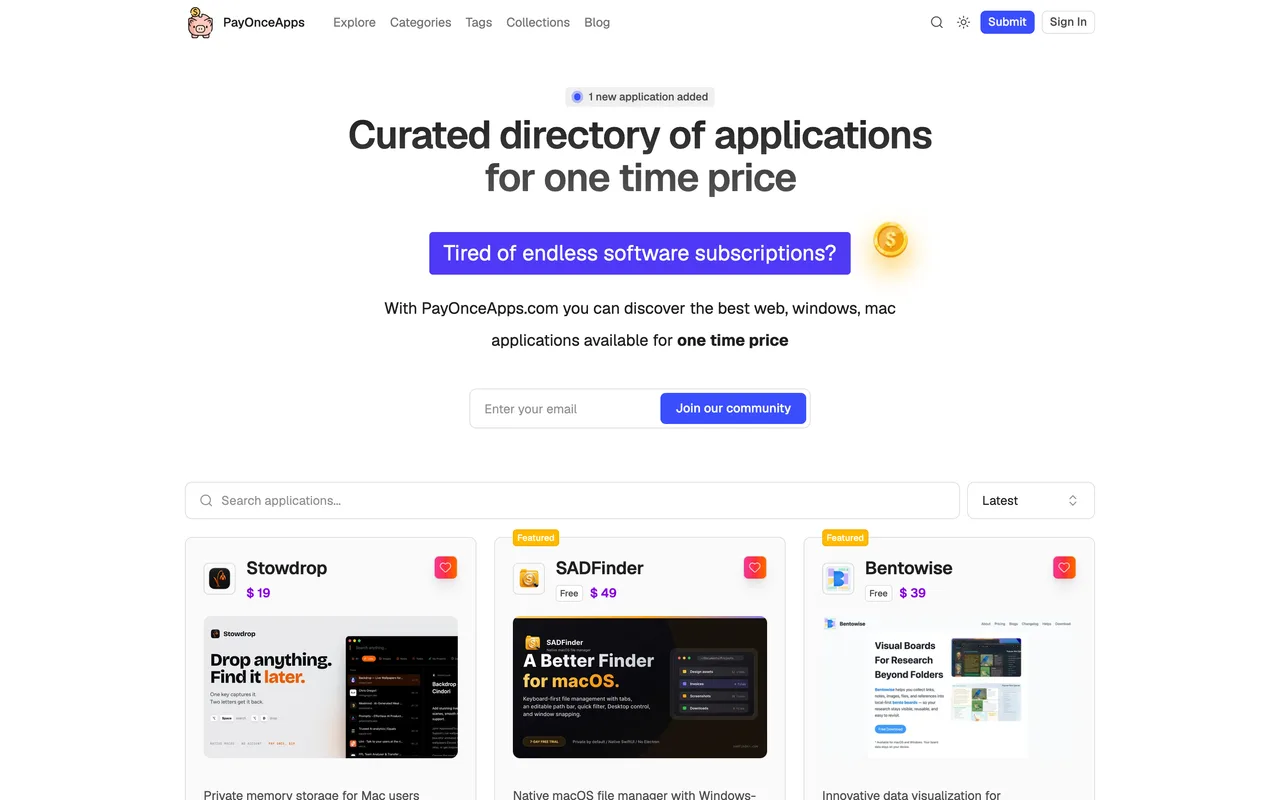
A listing in a curated shelf built entirely around applications sold for a one-time price, filed by platform across web, Mac, Windows, Linux and browser extensions. The niche is the value: a maker with a lifetime or one-off tier is in exactly the right room, and a pure subscription is in the wrong one. Link value is unverified, since the listings render client side and served no outbound anchors when read.
How to submit to PayOnceApps
- Open the submit page/submit redirects to a sign-in page offering dashboard access to manage submitted applications.
- Make an accountThe sign-in form carries a hidden captcha field alongside the email box.
- Submit and manageSubmissions are managed from the account dashboard afterwards.
PayOnceApps requirements
A live public URL
A one-time or lifetime price
An account
Gotchas
A subscription-only product is out of scope by the directory's own definition, so check your pricing page answers the premise before spending time here.
The sign-in form carries a captcha field, so the account has to be made by a person rather than by an agent.
The submit path redirects straight to sign-in, so the submission form cannot be read before committing to an account.
Let your agent submit to PayOnceApps
Connect SubmitMap to your AI over MCP and this page stops being something you read and copy. Your agent asks for the PayOnceApps playbook and gets the brief for this exact form, with the values already taken from your submission pack instead of placeholders you fill in by hand.
What it does for this platform
Checks your product against the 4 PayOnceApps rules above, so you find out you would be rejected before you open a tab.
Hands your agent all 3 fields this form asks for, none of them optional, already filled from your pack.
Types it into PayOnceApps in your own browser, and stops for you when the form wants a sign-in.
Records what it sent, so the dashboard can answer "did I ever submit to PayOnceApps?".
Connect your agentHow this worksTools and endpointsWorks with Claude Code, Claude, Codex, Cursor, VS Code and Hermes.
PayOnceApps FAQ
How long does PayOnceApps approval take?
PayOnceApps does not publish how long approval takes.
How much does it cost to submit to PayOnceApps?
Submitting to PayOnceApps is free.
Does PayOnceApps give a dofollow backlink?
No, links from PayOnceApps are nofollow. The site has a domain rating of 19.
Does PayOnceApps require a backlink to your site?
No, PayOnceApps does not require a link back from your site.
What gets you rejected from PayOnceApps?
The entire premise is applications sold for a one-time price, so a subscription-only product does not belong here whatever else it is.