
ai · saas · productivity
ToolFame: requirements, how to submit, and what you actually get
An 800-tool directory whose free lane costs a permanent badge and a place in a queue 364 submissions deep.
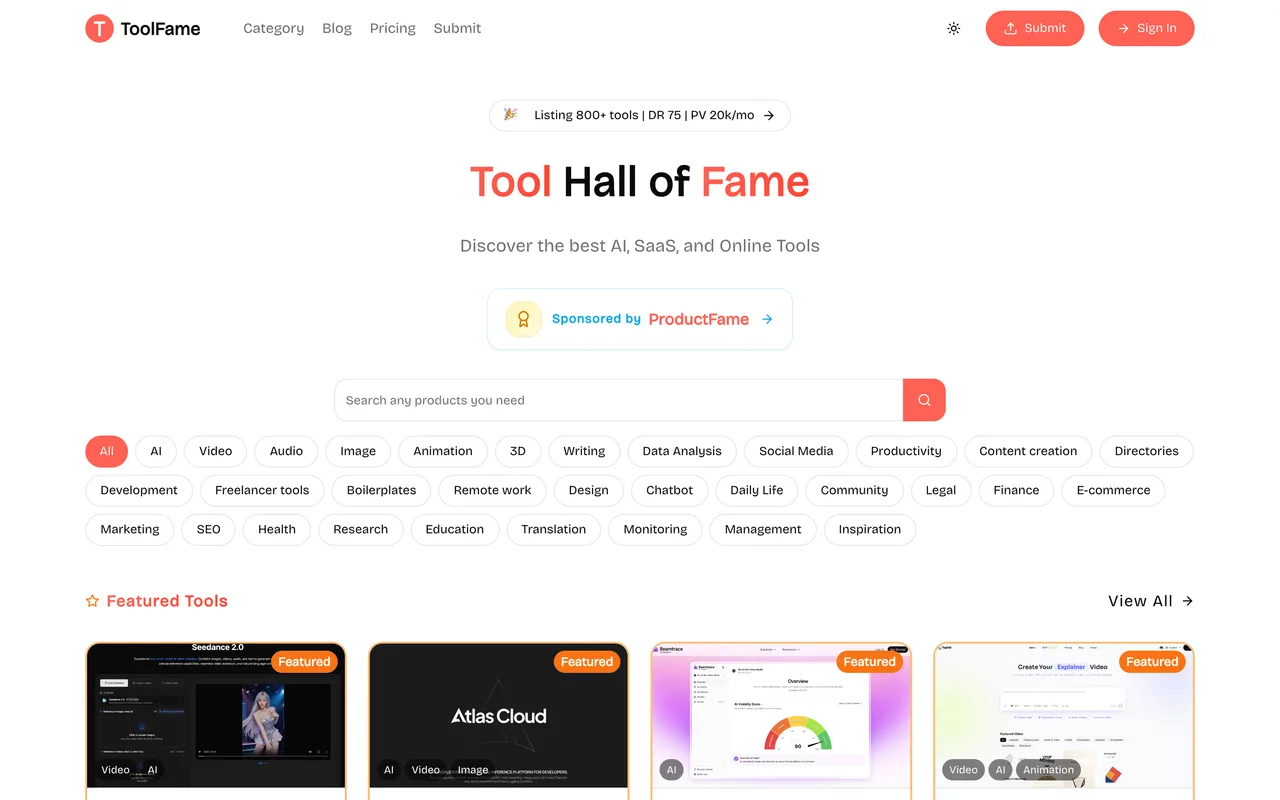
toolfame.com
Eligibility
Who ToolFame accepts
You need
An account: Google, GitHub or email and password
A live URL
A description of 80 to 160 characters
A long introduction of 1,000 to 4,000 characters, markdown accepted
A 16:9 image, PNG or JPEG, under 1MB
Their badge on your site permanently, on the free plan
You'll be rejected if
A maker who will not host a badge, on the free plan: the free submit button does not unlock without one
A product with nothing to say at length, since the introduction has a 1,000 character floor
AI toolsSaaS productsDeveloper toolsDirectoriesDesign toolsProductivity toolsBoilerplates
What you actually get
A listing page with your own markdown write-up, up to three categories, tag chips and a 16:9 card, on a directory carrying about 800 tools. The free plan buys one followed link; the two paid tiers buy three and five, and only the paid ones get the homepage rail.
How to submit to ToolFame
1
Sign in
/submit bounces to /auth/login with a callback. Google and GitHub are both offered as one-click buttons under the email and password form, and an account is created on the spot.
2
Fill the details, step 1 of 3
Link, name, categories and tags as multi-select dropdowns with their own search boxes, a description of 80 to 160 characters, an introduction of 1,000 to 4,000 characters in a markdown editor, and one 16:9 image under 1MB. An AI Autofill button sits inside the link field.
3
Pick a plan, step 2 of 3
Pressing Submit creates the product as an unsubmitted draft and lands on the plan step. Basic and Pro are Pay & Publish Right Now buttons; the free card is Choose Free Plan on the right, and choosing it announces that badge verification comes next.
4
Verify the badge, then submit
A Backlink Badge Verification panel gives you a light or dark snippet pointing at your own listing URL. Until their checker finds it the free plan's button reads Verify Badge First rather than submitting anything.
5
Wait out the queue
The free card says reviewed within 30 days and may be rejected for listing, with no customer support. It also prints how many free submissions are already waiting: 364 at the time of writing.
ToolFame requirements
Account (Google, GitHub, or email and password)
Product name and live URL
Description
80 to 160 characters
Introduction, markdown accepted
1,000 to 4,000 characters
One image
16:9, PNG or JPEG, under 1MB
Categories
at least one of 30
Their badge on your site permanently, on the free plan
Tagsoptional
from a fixed list of eighteen
Gotchas
The free listing's badge is not a one-off. Their own plan card says they check regularly and unpublish if it is removed, so the free lane is rent rather than a price.
The free queue prints its own length on the plan card and read 364 tools already waiting, against a stated review time of 30 days, and the same card says a submission may simply be rejected.
An AI Autofill button sits inside the link field on the first step. It scrapes whatever URL is in the box and writes the name, description and introduction itself.
Let your agent submit to ToolFame
Connect SubmitMap to your AI over MCP and this page stops being something you read and copy. Your agent asks for the ToolFame playbook and gets the brief for this exact form, with the values already taken from your submission pack instead of placeholders you fill in by hand.
What it does for this platform
Checks your product against the 8 ToolFame rules above, so you find out you would be rejected before you open a tab.
Hands your agent all 8 fields this form asks for, 1 of them optional, already filled from your pack.
Warns you that ToolFame looks for its badge on your site, so it has to be live before you submit rather than after.
Tells you what paying buys here, so you pick it on purpose: basic is $14.90 once for three dofollow links, no badge and immediate listing; Pro is $39.90 for five links, a homepage feature and featured styling. On top of those sit a $99 review article, a $149 auto-submit service and a $199 sponsor slot.
Types it into ToolFame in your own browser, and stops for you when the form wants a sign-in.
Records what it sent, so the dashboard can answer "did I ever submit to ToolFame?".
Connect your agentHow this worksTools and endpointsWorks with Claude Code, Claude, Codex, Cursor, VS Code and Hermes.
ToolFame FAQ
How long does ToolFame approval take?
ToolFame's typical time from submission to going live is 2-4 weeks.
How much does it cost to submit to ToolFame?
ToolFame has a free submission option plus paid placement (Basic is $14.90 once for three dofollow links, no badge and immediate listing; Pro is $39.90 for five links, a homepage feature and featured styling. On top of those sit a $99 review article, a $149 auto-submit service and a $199 sponsor slot.).
Does ToolFame give a dofollow backlink?
Yes, a listing on ToolFame carries a dofollow link. The site has a domain rating of 75.
Does ToolFame require a backlink to your site?
Yes, ToolFame expects a link back from your site as part of listing.
What gets you rejected from ToolFame?
A maker who will not host a badge, on the free plan: the free submit button does not unlock without one; A product with nothing to say at length, since the introduction has a 1,000 character floor.