
saas · indie · ai · dev
Smol LaunchPad: requirements, how to submit, and what you actually get
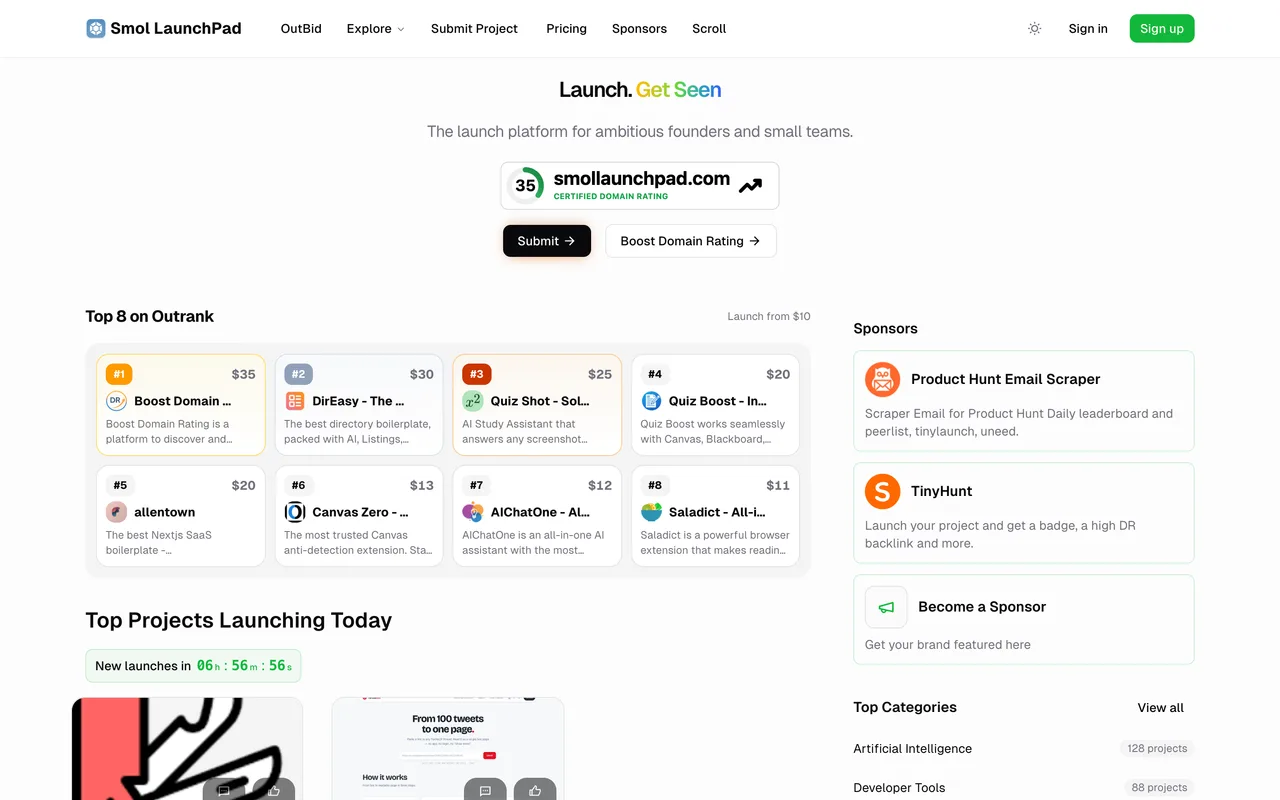
A DirEasy launch board whose free lane pays a real followed link for a badge, with a listing inside a month rather than the six the Open-Launch boards quote.
smollaunchpad.com
Eligibility
Who Smol LaunchPad accepts
You need
An account, created by Google sign-in in one click
Their badge on your site before the form will let you finish
A logo file and a wide product image, both uploaded
You'll be rejected if
Anyone who cannot put a badge on their own site, since the free lane's fourth step will not unlock without their checker finding it
Anyone whose site is not reachable by their crawler, because the check is a live fetch rather than a claim you tick
SaaS productsIndie productsAI toolsDeveloper tools
What you actually get
A project page that publishes immediately with a scheduled launch date about a month out, and an outbound link that is followed from the moment it appears. Their card promises listing within 30 days and a guaranteed followed link, and the link on the live page matched that on submission day.
How to submit to Smol LaunchPad
- Sign inGoogle sign-in creates the account in one click.
- Project InfoName, website URL, an optional affiliate URL, a rich-text short description, then the logo and product image as uploads. An AI Autofill button offers to write the lot from your URL.
- DetailsUp to three categories from a searchable list of several hundred, up to five tech-stack tags, platforms, a pricing model, and optional GitHub and Twitter URLs.
- Launch Type and badgeFree Launch, or one of three paid tiers. The free card then shows the badge snippet, a checkbox saying you have added it, and a Verify Backlink button. Next stays disabled until the check passes.
- Review and submitA summary, then Submit Project. The listing publishes immediately with a launch date about a month out.
Smol LaunchPad requirements
An account on the site
Their badge on your site
150x44 SVG, verified live
Product name
the listing title
Short description
rich text
Logo file
1:1, uploaded
Categories
up to 3 of several hundred
Tech stack
up to 5 free-text tags
Product imageoptional
wide, uploaded
Affiliate URLoptional
GitHub and Twitter URLsoptional
Gotchas
The badge has to be live on your site before the fourth step will let you through, and the snippet it gives you points at a page that does not exist until the first two steps are filled, so the badge cannot be put up in advance.
Leaving the launch-type step and coming back clears the verification tick, though the unlock itself survives.
Submit Project answered 503 twice in a row before it took, with no error shown either time and the page simply sitting still. Read the network log rather than the screen before deciding a submission failed.
An AI Autofill button offers to write your listing from your URL, which is a fast way to publish copy nobody at your company wrote.
Let your agent submit to Smol LaunchPad
Connect SubmitMap to your AI over MCP and this page stops being something you read and copy. Your agent asks for the Smol LaunchPad playbook and gets the brief for this exact form, with the values already taken from your submission pack instead of placeholders you fill in by hand.
What it does for this platform
Checks your product against the 5 Smol LaunchPad rules above, so you find out you would be rejected before you open a tab.
Hands your agent all 10 fields this form asks for, 3 of them optional, already filled from your pack.
Warns you that Smol LaunchPad looks for its badge on your site, so it has to be live before you submit rather than after.
Tells you what paying buys here, so you pick it on purpose: free Launch is $0 and the badge is its price. Premium Launch is $9.90, Premium Plus $12.90 struck through from $25, and an SEO Growth Package $49 struck through from $99 adds a written review article. A separate DR Booster is $50 for submission to ten sites in their own network.
Types it into Smol LaunchPad in your own browser, and stops for you when the form wants a sign-in.
Records what it sent, so the dashboard can answer "did I ever submit to Smol LaunchPad?".
Connect your agentHow this worksTools and endpointsWorks with Claude Code, Claude, Codex, Cursor, VS Code and Hermes.
Smol LaunchPad FAQ
How long does Smol LaunchPad approval take?
Smol LaunchPad's typical time from submission to going live is 2-4 weeks.
How much does it cost to submit to Smol LaunchPad?
Smol LaunchPad has a free submission option plus paid placement (Free Launch is $0 and the badge is its price. Premium Launch is $9.90, Premium Plus $12.90 struck through from $25, and an SEO Growth Package $49 struck through from $99 adds a written review article. A separate DR Booster is $50 for submission to ten sites in their own network.).
Does Smol LaunchPad give a dofollow backlink?
Yes, a listing on Smol LaunchPad carries a dofollow link. The site has a domain rating of 35.
Does Smol LaunchPad require a backlink to your site?
Yes, Smol LaunchPad expects a link back from your site as part of listing.
What gets you rejected from Smol LaunchPad?
Anyone who cannot put a badge on their own site, since the free lane's fourth step will not unlock without their checker finding it; Anyone whose site is not reachable by their crawler, because the check is a live fetch rather than a claim you tick.