
open-source · dev · productivity
NoSignups: requirements, how to submit, and what you actually get
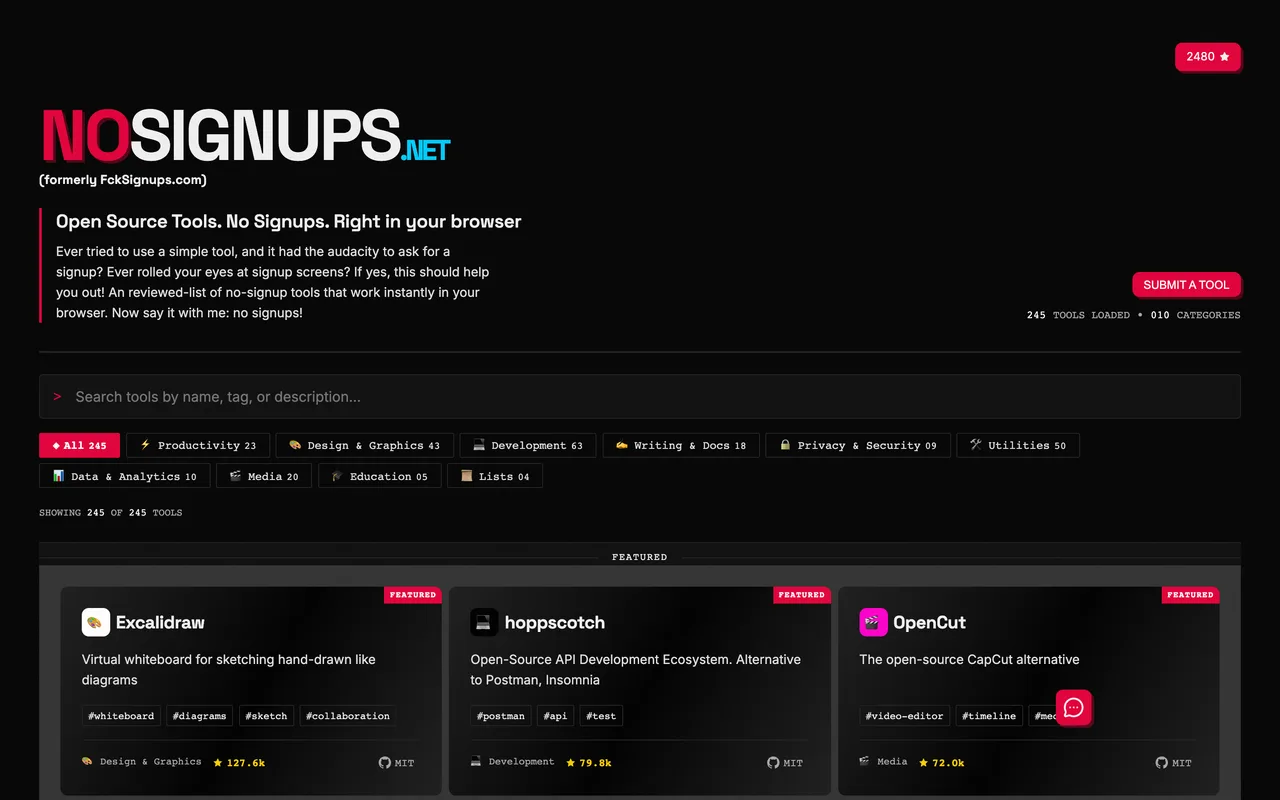
Open source, in browser, no account: three rules and a GitHub issue
nosignups.net
Eligibility
Who NoSignups accepts
You need
A public GitHub repository, which is a field on their issue template
A tool that works with no account at all
Something that runs in the browser
You'll be rejected if
Anything closed source is out: the template asks for the repository and the cards display the licence.
Anything that asks for an account to do its main job is out, which is the entire premise of the site.
Anything you have to install rather than open in a tab is out.
Open sourceDev toolsProductivity toolsDesign tools
What you actually get
A card in a list of 245 tools across ten categories, with your tags, your licence and your GitHub star count on it. Every outbound link is rel="noopener noreferrer", so the link follows. The repository behind it has around 2,500 stars, which is where most of the attention actually is.
How to submit to NoSignups
- Check the three rulesOpen source, no signup, runs in the browser. Their issue template says so in its own description.
- Open the issue templateThe SUBMIT A TOOL button on the site and the README link both go to the same place: a GitHub issue prefilled from request-to-add-a-tool.md.
- Fill the six linesName, a one-sentence description, a direct URL, tags, the GitHub repository and one of their ten categories.
NoSignups requirements
A public GitHub repository
Description
under 140 characters
Tags
3 to 5
Gotchas
Closed source is a hard no. The issue template has a Github field and every card shows a licence, so there is nowhere to hide a proprietary product.
The rule is no account for the tool itself, not a free tier. A product whose main job needs a login does not qualify however generous the free plan is.
It is a GitHub issue, not a form, so you need a GitHub account and your submission is public from the moment you file it.
The list is curated and the repository carries hundreds of open issues, so expect to wait without a stated time.
Let your agent submit to NoSignups
Connect SubmitMap to your AI over MCP and this page stops being something you read and copy. Your agent asks for the NoSignups playbook and gets the brief for this exact form, with the values already taken from your submission pack instead of placeholders you fill in by hand.
What it does for this platform
Checks your product against the 6 NoSignups rules above, so you find out you would be rejected before you open a tab.
Hands your agent all 3 fields this form asks for, none of them optional, already filled from your pack.
Types it into NoSignups in your own browser, and stops for you when the form wants a sign-in.
Records what it sent, so the dashboard can answer "did I ever submit to NoSignups?".
Connect your agentHow this worksTools and endpointsWorks with Claude Code, Claude, Codex, Cursor, VS Code and Hermes.
NoSignups FAQ
How long does NoSignups approval take?
NoSignups does not publish how long approval takes.
How much does it cost to submit to NoSignups?
Submitting to NoSignups is free.
Does NoSignups give a dofollow backlink?
Yes, a listing on NoSignups carries a dofollow link. The site has a domain rating of 12.
Does NoSignups require a backlink to your site?
No, NoSignups does not require a link back from your site.
What gets you rejected from NoSignups?
Anything closed source is out: the template asks for the repository and the cards display the licence; Anything that asks for an account to do its main job is out, which is the entire premise of the site; Anything you have to install rather than open in a tab is out.