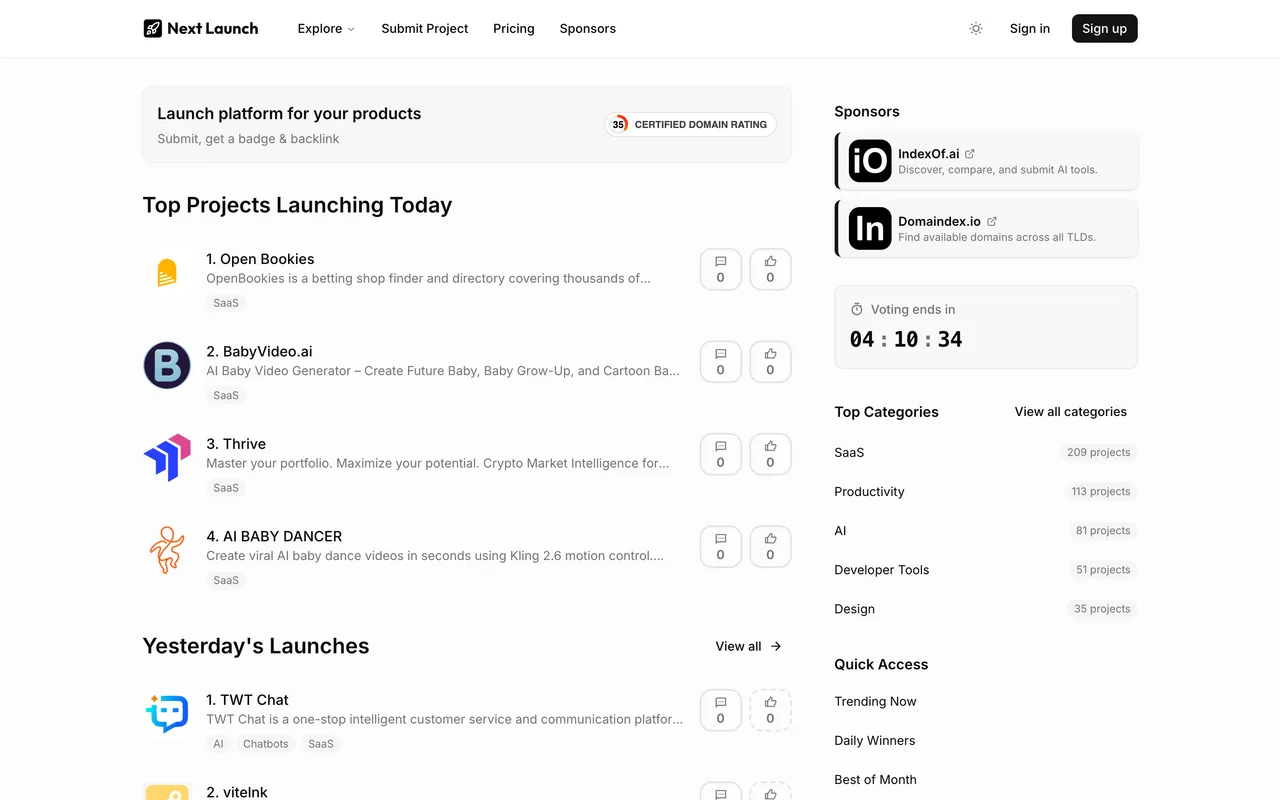
A project page that publishes the moment the badge check passes, scheduled for the launch date you picked and going live at 00:00 UTC. The followed link is not part of the free tier: their own card makes it conditional on finishing in the day's top three as well as running their badge, so plan on a nofollow unless you win the day.
How to submit to Next Launch
1
Sign in
Google, GitHub or an email and password. The submit path redirects to sign-in first.
2
Project Info
Name, website URL, a rich-text short description, a logo of 1MB or less and an optional wide product image.
3
Details
Up to three categories from a list of nineteen, platforms, a pricing model, and optional GitHub and Twitter URLs.
4
Launch Date
Free or Premium, then a date from a calendar showing the free slots left on each. Free offers five a day and up to 180 days out.
5
Review and verify
A summary, then Submit Project. That creates the project unpublished and lands on a badge page: paste the snippet, press Verify badge now, and the listing goes live scheduled.
Next Launch requirements
An account on the site
Their badge on your site
175x44 SVG, light or dark, verified live
Project name
Website URL
Short description
rich text
Logo
1:1, max 1MB
Categories
up to 3 of nineteen
Launch date
a day with free slots left
Product imageoptional
16:9
Gotchas
Pressing Submit Project does not publish anything. The project is created invisible and stays that way until their checker finds the badge, and the page that tells you so only appears after you have submitted.
The free tier's followed link is conditional twice over: their own card asks for a top three finish on your launch day as well as the badge, so doing everything right still leaves the link unfollowed if the day goes against you.
The badge has to stay up for the listing to stay published, not just for the link, which is a harder commitment than the usual badge swap.
Let your agent submit to Next Launch
Connect SubmitMap to your AI over MCP and this page stops being something you read and copy. Your agent asks for the Next Launch playbook and gets the brief for this exact form, with the values already taken from your submission pack instead of placeholders you fill in by hand.
What it does for this platform
Checks your product against the 6 Next Launch rules above, so you find out you would be rejected before you open a tab.
Hands your agent all 9 fields this form asks for, 1 of them optional, already filled from your pack.
Warns you that Next Launch looks for its badge on your site, so it has to be live before you submit rather than after.
Tells you what paying buys here, so you pick it on purpose: free Launch is $0 with five slots a day and scheduling up to 180 days out. Premium is $9 one-time to skip the free queue, with ten slots a day, thirty days of scheduling and a backlink they guarantee.
Types it into Next Launch in your own browser, and stops for you when the form wants a sign-in.
Records what it sent, so the dashboard can answer "did I ever submit to Next Launch?".
Next Launch's typical time from submission to going live is instant.
How much does it cost to submit to Next Launch?
Next Launch has a free submission option plus paid placement (Free Launch is $0 with five slots a day and scheduling up to 180 days out. Premium is $9 one-time to skip the free queue, with ten slots a day, thirty days of scheduling and a backlink they guarantee.).
Does Next Launch give a dofollow backlink?
No, links from Next Launch are nofollow. The site has a domain rating of 35.
Does Next Launch require a backlink to your site?
Yes, Next Launch expects a link back from your site as part of listing.
What gets you rejected from Next Launch?
Anyone who cannot put a badge on their own site, since the project is created but never published without it; Anyone whose site their crawler cannot reach, because the check is a live fetch of your page.
For platform owners
Run Next Launch? Put the badge on it
It links back to this page, where makers read who you accept and how to submit. Pick the version that matches where it will sit, copy the snippet, and paste it into your footer or wherever your other badges go.
HTML
<a href="https://submitmap.com/platform/nextlaunch/">
  <img src="https://submitmap.com/badge/listed-light.svg" alt="Listed on SubmitMap" width="150" height="52">
</a>
No account, no cost and nothing to verify: it works the moment it is on the page. If anything on this page is out of date, tell us and we will fix the record.