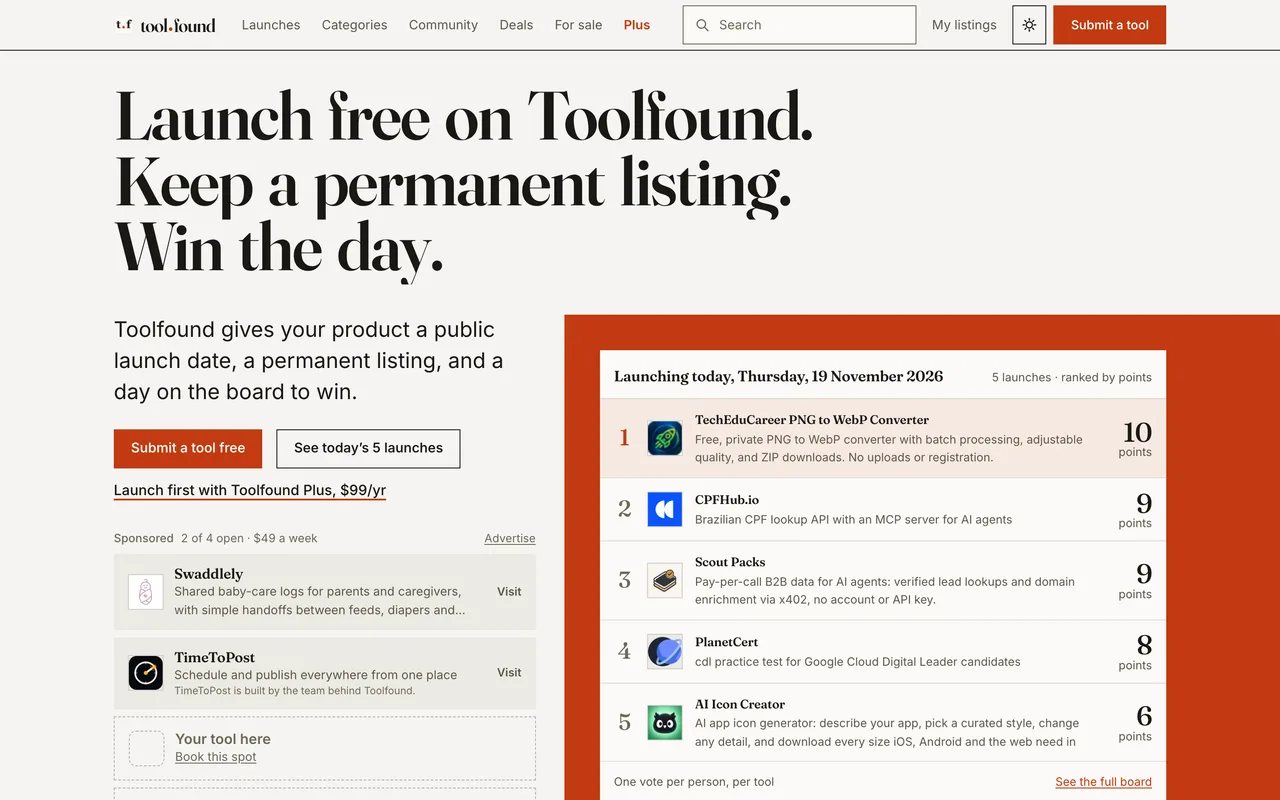
A permanent page at /tool/<slug> with your one-liner, description and pricing and a plain followed link to your site, then a day on the homepage board when your date comes round. The page is noindexed until its description passes 100 original words; two of the six listings we opened were still noindex. The site can also be searched and submitted to over MCP. The domain was registered in August 2026 and measured DR 26 in November.
How to submit to Toolfound
1
Paste the URL
The form starts from your product link and drafts the rest from that page: it finds your logo and name and asks you to confirm them. No account is needed.
2
Fix the draft
A one-liner, a description and a pricing model, all prefilled from your site. Replace the description with one over 100 words if you want the page indexed.
3
Email, then your date
Entering your email creates the submission, and the next screen shows your free launch date with an earlier $29 Priority date offered beside it.
4
Prove the domain
An address on the product domain verifies with one code or link. A personal address also needs a meta tag or a DNS TXT record. Nothing goes public until this is done.
Toolfound requirements
Product URL
Logo
found on your page, or upload or link one
Product name
One-liner
up to 140 characters
Description
up to 5,000 characters; 100 words to index
Pricing model
free, freemium, free trial, paid or not sure
Email
on your domain, or verify the site as well
X handleoptional
Gotchas
The homepage calendar shows free seats open for tomorrow, but the free date you are actually given is the end of the queue: 7 March 2027 when we looked on 19 November, 108 days away. Read your date on the screen after the email step before planning around it.
Their drafted description is two sentences, and a page under 100 original words stays noindex, so leaving the draft in place gets you a followed link on a page search engines are told to skip.
The email step has two marketing boxes ticked by default, maker tips and offers and a weekly reader newsletter. Untick them before pressing Continue if you want neither.
Let your agent submit to Toolfound
Connect SubmitMap to your AI over MCP and this page stops being something you read and copy. Your agent asks for the Toolfound playbook and gets the brief for this exact form, with the values already taken from your submission pack instead of placeholders you fill in by hand.
What it does for this platform
Checks your product against the 3 Toolfound rules above, so you find out you would be rejected before you open a tab.
Hands your agent all 8 fields this form asks for, 1 of them optional, already filled from your pack.
Tells you what paying buys here, so you pick it on purpose: submitting is free with no card. Priority Launch is $29 once for an earlier date, as soon as the next day, and Toolfound Plus is $99 a year for priority dates on every product, homepage sponsor days and a Plus badge. Paid placements carry rel "sponsored nofollow", so paying gets you sooner but not a better link.
Types it into Toolfound in your own browser, and stops for you when the form wants a sign-in.
Records what it sent, so the dashboard can answer "did I ever submit to Toolfound?".
Toolfound's typical time from submission to going live is 3-6 months.
How much does it cost to submit to Toolfound?
Toolfound has a free submission option plus paid placement (Submitting is free with no card. Priority Launch is $29 once for an earlier date, as soon as the next day, and Toolfound Plus is $99 a year for priority dates on every product, homepage sponsor days and a Plus badge. Paid placements carry rel "sponsored nofollow", so paying gets you sooner but not a better link.).
Does Toolfound give a dofollow backlink?
Yes, a listing on Toolfound carries a dofollow link. The site has a domain rating of 26.
Does Toolfound require a backlink to your site?
No, Toolfound does not require a link back from your site.
What gets you rejected from Toolfound?
A submission left unverified for 14 days, which they delete.
For platform owners
Run Toolfound? Put the badge on it
It links back to this page, where makers read who you accept and how to submit. Pick the version that matches where it will sit, copy the snippet, and paste it into your footer or wherever your other badges go.
HTML
<a href="https://submitmap.com/platform/toolfound/">
  <img src="https://submitmap.com/badge/listed-light.svg" alt="Listed on SubmitMap" width="150" height="52">
</a>
No account, no cost and nothing to verify: it works the moment it is on the page. If anything on this page is out of date, tell us and we will fix the record.