
saas · indie · ai
Smol Launch: requirements, how to submit, and what you actually get
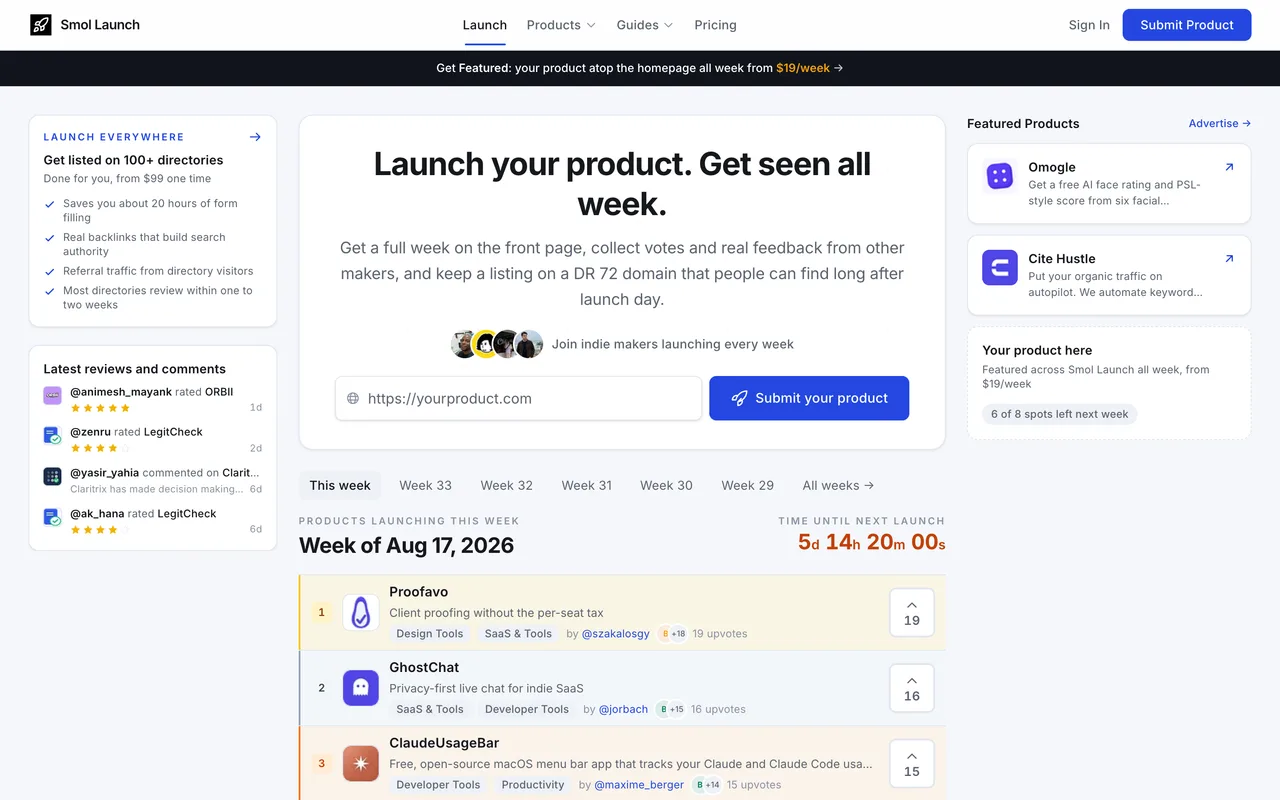
A weekly launch board with 30 free verified slots a week, a queue about 150 deep, and a badge you install to earn the free one.
smollaunch.com
Eligibility
Who Smol Launch accepts
You need
An account, via Google or email and password
A product name, a tagline of 200 characters or less and a description
A logo under 5MB, square and at least 512 by 512
A live website URL
Their badge on your site, if you take the free lane
You'll be rejected if
A product already launched here: the final checkbox is a declaration you have not submitted it more than once, and a relaunch has to be a paid tier
A site you cannot add a badge to, on the free lane
SaaS productsIndie productsAI toolsDeveloper toolsNo-code toolsDesign toolsMarketing tools
What you actually get
A page at /products/<slug> with a Visit Website link carrying rel="noopener noreferrer", which is followed, plus a week on a ranked weekly board that has run 37 weeks and claims 16,000 makers. Free and paid launches compete in the same ranking. The site also runs a large guide library and free tools, so the product page sits inside real content rather than on a bare listing wall.
How to submit to Smol Launch
1
Create an account
Continue with Google, or email and password. The sign-in is behind Cloudflare Turnstile, so the email route can stall on a challenge the Google route never sees.
2
Step 1: product details
An AI Import box takes your URL and fills the form. Then name, a 200-character tagline, a logo (max 5MB, square, 512px or more), up to four screenshots, website URL, an optional YouTube URL, a description, a pricing model and price label, an optional lifetime deal block, and a checkbox declaring this is the product's first submission.
3
Step 2: launch setup
Choose the tier and the week. Free takes the next open slot in a queue of 30 verified places a week; Premium and Launch Everywhere launch the same week with no queue.
4
Verify the badge, if you went free
A free listing shows on the home page but is only verified once their badge is on your site. Paid tiers verify instantly and skip the badge entirely.
5
Step 3: submitted for review
Nothing is submitted until this step; the form says so on step one. Every launch, free or paid, is reviewed before it publishes.
Smol Launch requirements
An account (Google, or email and password)
Product name and a tagline of 200 characters or less
A logo under 5MB, square, at least 512x512
A live website URL and a description
Their badge on your site for the free lane
Up to four screenshots, 5MB eachoptional
A YouTube URL, pricing model, price label and a lifetime deal blockoptional
Gotchas
Paying $19 is the difference between launching this week and launching in six: the free tier is a booking queue against 30 slots a week, and it was handing out 28 September when this was written.
The free lane costs a badge on your site, and the badge is what makes the listing verified. Take it down and the verification goes with it.
A product only gets one free launch. The final checkbox is a declaration you have not submitted it before, and every relaunch of the same product has to be a paid tier.
The Featured Spot advertising slot is not a launch: it stays out of the ranking and its link is marked sponsored, which their own pricing page says plainly and which is easy to miss when it sits beside the $19 tier.
Let your agent submit to Smol Launch
Connect SubmitMap to your AI over MCP and this page stops being something you read and copy. Your agent asks for the Smol Launch playbook and gets the brief for this exact form, with the values already taken from your submission pack instead of placeholders you fill in by hand.
What it does for this platform
Checks your product against the 7 Smol Launch rules above, so you find out you would be rejected before you open a tab.
Hands your agent all 7 fields this form asks for, 2 of them optional, already filled from your pack.
Warns you that Smol Launch looks for its badge on your site, so it has to be live before you submit rather than after.
Tells you what paying buys here, so you pick it on purpose: free needs their badge verified on your site and takes the next open week, which read 28 September with 150 products ahead when this was checked. Premium is $19 a launch, skips the queue and the badge, and gives a permanent link. Launch Everywhere is $99, $149 or $199 for done-for-you submission to 30, 60 or 100 or more other directories. A $99 a year Maker Pass turns every launch that year into a Premium one, which pays for itself at about six launches.
Types it into Smol Launch in your own browser, and stops for you when the form wants a sign-in.
Records what it sent, so the dashboard can answer "did I ever submit to Smol Launch?".
Connect your agentTools and endpointsWorks with Claude Code, Claude, Codex, Cursor, VS Code and Hermes.
Smol Launch FAQ
How long does Smol Launch approval take?
Smol Launch's typical time from submission to going live is 1-2 months.
How much does it cost to submit to Smol Launch?
Smol Launch has a free submission option plus paid placement (Free needs their badge verified on your site and takes the next open week, which read 28 September with 150 products ahead when this was checked. Premium is $19 a launch, skips the queue and the badge, and gives a permanent link. Launch Everywhere is $99, $149 or $199 for done-for-you submission to 30, 60 or 100 or more other directories. A $99 a year Maker Pass turns every launch that year into a Premium one, which pays for itself at about six launches.).
Does Smol Launch give a dofollow backlink?
Yes, a listing on Smol Launch carries a dofollow link. The site has a domain rating of 68.
Does Smol Launch require a backlink to your site?
Yes, Smol Launch expects a link back from your site as part of listing.
What gets you rejected from Smol Launch?
A product already launched here: the final checkbox is a declaration you have not submitted it more than once, and a relaunch has to be a paid tier; A site you cannot add a badge to, on the free lane.