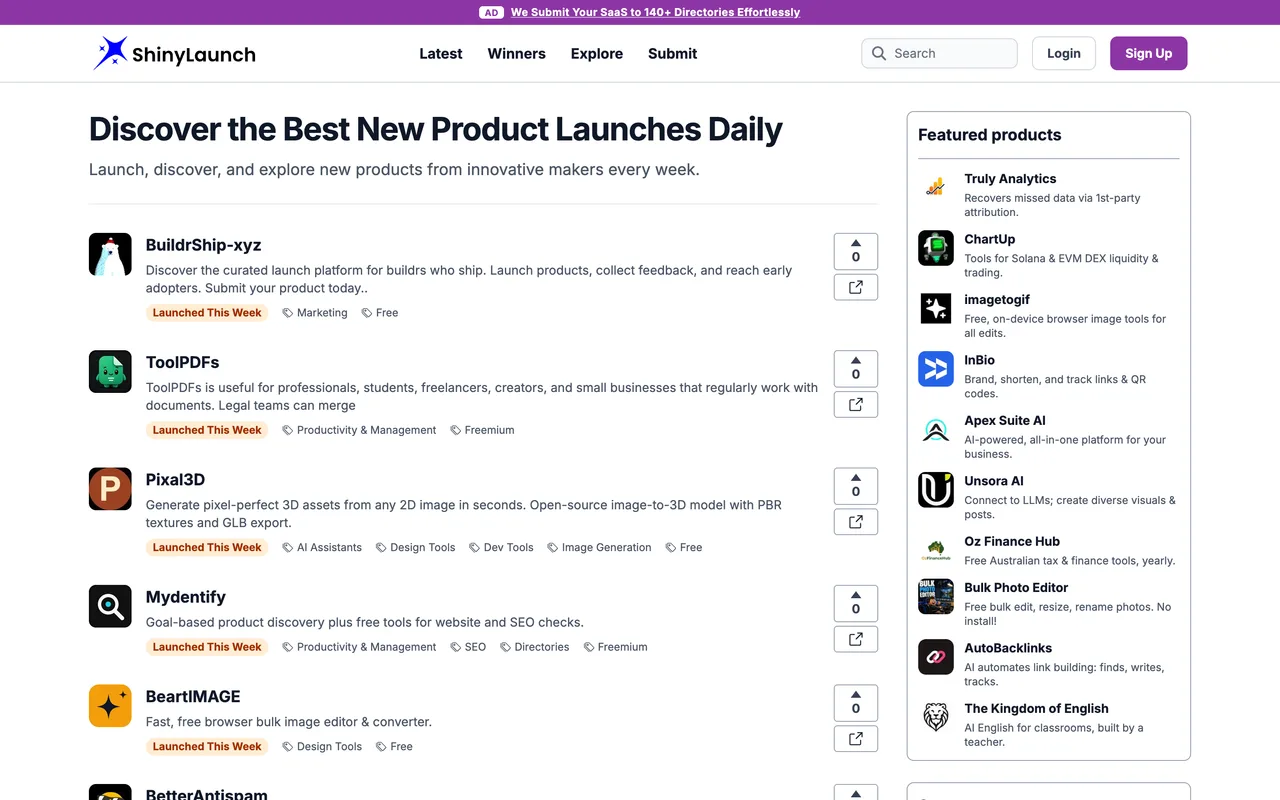
The fourth domain running the We Like Tools codebase, with a daily Winners board on top and the same badge lock on the listing form.
shinylaunch.com
Eligibility
Who ShinyLaunch accepts
You need
An account, by Google
Their badge on your homepage or footer, linking to your reserved listing URL with a followed link
An icon and a screenshot
A summary of 150 characters or fewer and an overview of up to 1,500
You'll be rejected if
A site that cannot carry their badge with a followed link, because the listing form never opens without it
AI toolsSaaS productsIndie projectsProductivity apps
What you actually get
A page at /product/<slug> with your icon, a screenshot, a 150-character summary and a 1,500-character overview, launched into a week you choose and voted on Monday to Sunday, with a Winners board keeping the ones that placed. It is the same engine as weliketools.com, appalist.com and aitechviral.com, so the listing reads the same on all four and each needs its own badge.
How to submit to ShinyLaunch
1
Sign in
/submit is a sign-in card. Log in with Google is the only visible provider and the account is created by that click.
2
Give the homepage
Step 1 of three takes one URL, and warns it must be the product homepage because that is the page their crawler checks.
3
Take the badge
Generate Badge reserves shinylaunch.com/product/<slug> and prints light and dark snippets that must link to it with a followed link.
4
Verify, then write the listing
Verify Badge unlocks step 3: name, a 150-character summary, a 1,500-character overview, an icon, a screenshot, a pricing radio, category checkboxes and, unlike its sibling sites, a Launch Week select naming each week and how many products are already in it.
ShinyLaunch requirements
An account
Product homepage URL
Their badge, live and followed, pointing at the reserved listing URL
Tool name, 40 characters
Short description, 150 characters
About the tool, 1,500 characters
An icon file and a screenshot file
A pricing model and at least one category
A launch week, chosen from their list
Gotchas
Nothing about the product can be entered until the badge is verified, so a first visit always ends at step 2 with a snippet and nothing submitted.
The badge has to point at your reserved /product/<slug> URL, which only exists once Generate Badge has run, so it cannot be prepared in advance.
It shares an engine with weliketools.com, appalist.com and aitechviral.com, but adds a Launch Week select the others do not have. Each week shows its product count, so a week reading 0 products is a far shorter queue to place in than the current one.
Let your agent submit to ShinyLaunch
Connect SubmitMap to your AI over MCP and this page stops being something you read and copy. Your agent asks for the ShinyLaunch playbook and gets the brief for this exact form, with the values already taken from your submission pack instead of placeholders you fill in by hand.
What it does for this platform
Checks your product against the 5 ShinyLaunch rules above, so you find out you would be rejected before you open a tab.
Hands your agent all 9 fields this form asks for, none of them optional, already filled from your pack.
Warns you that ShinyLaunch looks for its badge on your site, so it has to be live before you submit rather than after.
Types it into ShinyLaunch in your own browser, and stops for you when the form wants a sign-in.
Records what it sent, so the dashboard can answer "did I ever submit to ShinyLaunch?".
ShinyLaunch's typical time from submission to going live is 1-2 weeks.
How much does it cost to submit to ShinyLaunch?
Submitting to ShinyLaunch is free.
Does ShinyLaunch give a dofollow backlink?
Yes, a listing on ShinyLaunch carries a dofollow link. The site has a domain rating of 53.
Does ShinyLaunch require a backlink to your site?
Yes, ShinyLaunch expects a link back from your site as part of listing.
What gets you rejected from ShinyLaunch?
A site that cannot carry their badge with a followed link, because the listing form never opens without it.
For platform owners
Run ShinyLaunch? Put the badge on it
It links back to this page, where makers read who you accept and how to submit. Pick the version that matches where it will sit, copy the snippet, and paste it into your footer or wherever your other badges go.
HTML
<a href="https://submitmap.com/platform/shinylaunch/">
  <img src="https://submitmap.com/badge/listed-light.svg" alt="Listed on SubmitMap" width="150" height="52">
</a>
No account, no cost and nothing to verify: it works the moment it is on the page. If anything on this page is out of date, tell us and we will fix the record.