
saas · indie
saasuji: requirements, how to submit, and what you actually get
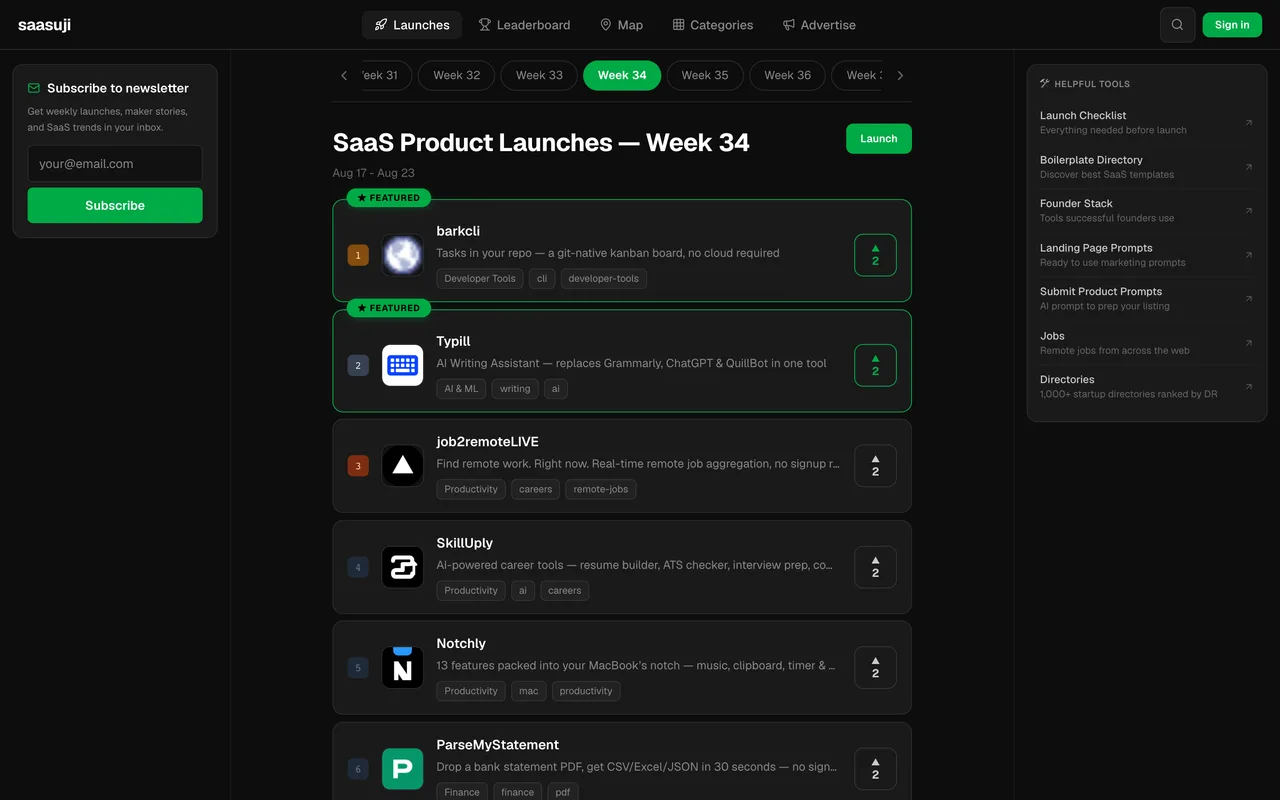
A two-maker weekly launch board where the free listing keeps a followed link and the crowd is still single digits.
saasuji.com
Eligibility
Who saasuji accepts
You need
A live product URL, which is the form's first required field
A Google account, since Google is the only sign-in
A name, a tagline under 60 characters and a description
You'll be rejected if
A product with no live URL: the form will not advance past its first field, and the AI autofill has nothing to read
SaaS productsIndie productsAI toolsDeveloper tools
What you actually get
A product page with a server-rendered followed link and a slot on a 30-place weekly leaderboard that starts Mondays. Putting their badge up flips the listing to featured while the tier stays free. The site runs at DR 2 with one to nine launches and single-digit vote counts a week, so treat it as an easy early listing rather than a traffic event.
How to submit to saasuji
- Sign in with GoogleContinue with Google is the only option on /auth/signin; the account is created by the first sign-in and the form autosaves drafts to it.
- Fill the Details stepWebsite URL, name, a 60-character tagline, description, category and subcategory, pricing model, up to 8 tags, 6 key features and 10 technologies. The AI autofill will have filled most of it from your URL, usually wrongly.
- Add mediaA product logo and up to 5 screenshots, though a free listing shows only the first image. Both are locked once the listing is in.
- Pick the free plan and launchFree Launch is preselected and the panel shows how many of the week's 30 slots are left. Launch puts the listing straight on a public product page, Queued until its launch date.
- Take the free Featured tierThe last panel offers Featured at no cost for adding their badge to your site and verifying it from the dashboard. The badge snippet is on your listing page under Embed Badge.
saasuji requirements
A Google account (the only sign-in)
Website URL, product name, tagline (60 chars max) and description
Category, subcategory and pricing model
A product logo; only the first gallery image shows on the free tier
Tags, key features and tech stackoptional
Gotchas
Sign-in is Google-only: no email, no password, no other provider. Without a Google account there is no way in.
The AI autofill fires on its own once a URL is in the first field, and it does not just fill blanks: it rewrote the name, tagline and description, set the category and pricing to something else, and pointed the logo at an apple-touch-icon.png that does not exist. Diff every field against your own copy before advancing.
The badge that buys the free Featured tier has no button while the listing is queued: the flow says to verify from your dashboard, and neither the dashboard nor the listing offers a control. The listing panel even tells you to pay for Featured instead.
The free listing does not go live when you submit it: it sits Queued until the launch date the weekly board assigns, which was three days out on a week with 25 of 30 slots still open.
Let your agent submit to saasuji
Connect SubmitMap to your AI over MCP and this page stops being something you read and copy. Your agent asks for the saasuji playbook and gets the brief for this exact form, with the values already taken from your submission pack instead of placeholders you fill in by hand.
What it does for this platform
Checks your product against the 4 saasuji rules above, so you find out you would be rejected before you open a tab.
Hands your agent all 5 fields this form asks for, 1 of them optional, already filled from your pack.
Tells you what paying buys here, so you pick it on purpose: $5 one-time skips the weekly queue. Featured is $9/week and Sponsored $49/week, but the last panel of the free flow offers the whole Featured tier at no cost in exchange for their badge on your site.
Types it into saasuji in your own browser, and stops for you when the form wants a sign-in.
Records what it sent, so the dashboard can answer "did I ever submit to saasuji?".
Connect your agentHow this worksTools and endpointsWorks with Claude Code, Claude, Codex, Cursor, VS Code and Hermes.
saasuji FAQ
How long does saasuji approval take?
saasuji's typical time from submission to going live is about a week.
How much does it cost to submit to saasuji?
saasuji has a free submission option plus paid placement ($5 one-time skips the weekly queue. Featured is $9/week and Sponsored $49/week, but the last panel of the free flow offers the whole Featured tier at no cost in exchange for their badge on your site.).
Does saasuji give a dofollow backlink?
Yes, a listing on saasuji carries a dofollow link. The site has a domain rating of 2.
Does saasuji require a backlink to your site?
No, saasuji does not require a link back from your site.
What gets you rejected from saasuji?
A product with no live URL: the form will not advance past its first field, and the AI autofill has nothing to read.