
directory · ai · saas
productdirs: requirements, how to submit, and what you actually get
One free slot a day, and they delist you if the badge comes down
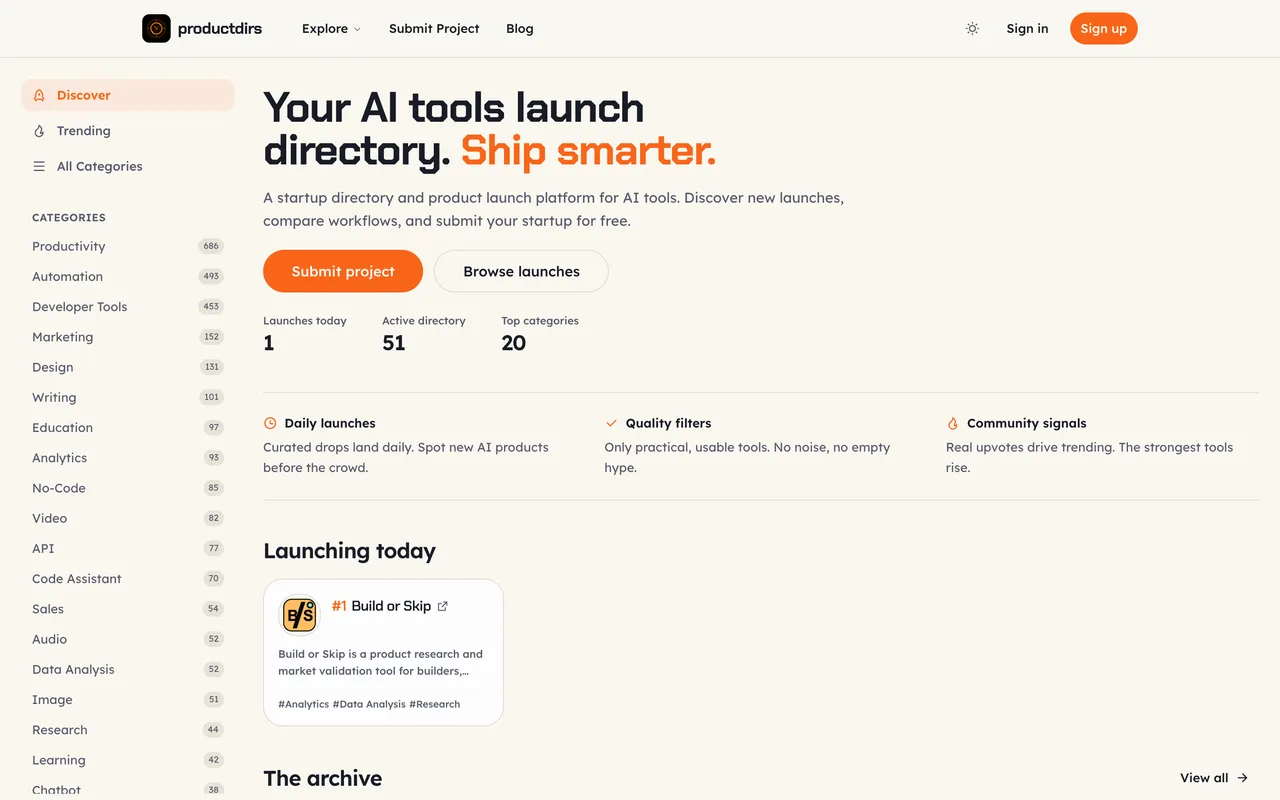
productdirs.com
Eligibility
Who productdirs accepts
You need
A live public URL
Their badge, live and passing their check before you can schedule
A page you will keep the badge on indefinitely
You'll be rejected if
The badge must pass before scheduling, so a site you cannot edit rules you out entirely rather than merely costing you the follow.
AI toolsSaaS productsDeveloper toolsIndie products
What you actually get
A project page in an AI launch directory that is the highest rated of the DirEasy network, and the strictest with it. The link follows: a live listing's outbound product link carries rel="noopener" with no nofollow. What makes this one different from its siblings is the enforcement: the badge is checked before scheduling and monitored afterwards, and their own copy says an unresolved lost backlink may be delisted.
How to submit to productdirs
- Sign inGoogle, GitHub or email and password, as on every site in this network.
- Fill the projectName, URL, a rich text description, a square logo and a landscape product image, then categories, tech stack, platforms and pricing.
- Pass the backlink checkThe badge must be live and pass before a date can be chosen. This is earlier in the flow than the siblings put it.
- Take one of the day's slotsThere is one free slot a day, so the calendar is the real constraint here.
productdirs requirements
A live public URL
Logo
1:1 square, under 1MB
Product image
16:9, around 800x450
Badge
Must pass the check before scheduling, and stay up
Free slots
1 a day
Gotchas
Their own pricing copy says a lost backlink triggers a reminder and that an unresolved one may be delisted, so the badge is a standing commitment rather than a one-time step.
There is a single free slot per day, so the free calendar fills far faster than on the sibling sites that offer five or ten.
The backlink check runs before scheduling rather than at the end, so you cannot hold a date while you arrange the badge.
Let your agent submit to productdirs
Connect SubmitMap to your AI over MCP and this page stops being something you read and copy. Your agent asks for the productdirs playbook and gets the brief for this exact form, with the values already taken from your submission pack instead of placeholders you fill in by hand.
What it does for this platform
Checks your product against the 4 productdirs rules above, so you find out you would be rejected before you open a tab.
Hands your agent all 5 fields this form asks for, none of them optional, already filled from your pack.
Warns you that productdirs looks for its badge on your site, so it has to be live before you submit rather than after.
Types it into productdirs in your own browser, and stops for you when the form wants a sign-in.
Records what it sent, so the dashboard can answer "did I ever submit to productdirs?".
Connect your agentHow this worksTools and endpointsWorks with Claude Code, Claude, Codex, Cursor, VS Code and Hermes.
productdirs FAQ
How long does productdirs approval take?
productdirs's typical time from submission to going live is 2-4 weeks.
How much does it cost to submit to productdirs?
Submitting to productdirs is free.
Does productdirs give a dofollow backlink?
Yes, a listing on productdirs carries a dofollow link. The site has a domain rating of 31.
Does productdirs require a backlink to your site?
Yes, productdirs expects a link back from your site as part of listing.
What gets you rejected from productdirs?
The badge must pass before scheduling, so a site you cannot edit rules you out entirely rather than merely costing you the follow.