
dev · ai · marketplace
MCP Store: requirements, how to submit, and what you actually get
Paste a repo URL and you are done, or fill the long form and hit a phone field
mcpstore.co
Eligibility
Who MCP Store accepts
You need
An MCP server or client
A public GitHub repository, for the quick path
An account, via GitHub or Google
You'll be rejected if
It indexes MCP servers and clients. A product that does not speak MCP has nothing to list here.
MCP serversDeveloper toolsAI tools
What you actually get
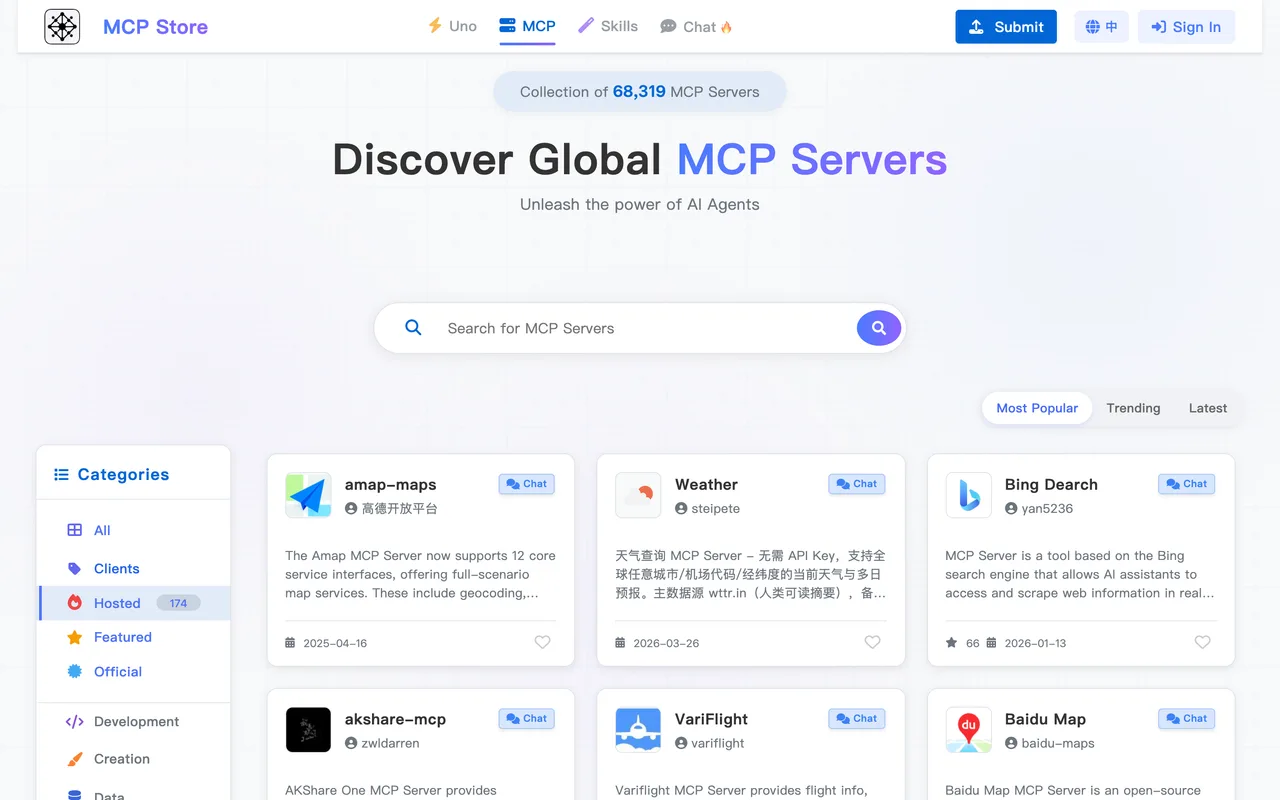
A server page in one of the larger MCP indexes, which claims 40,000 or so servers and also keeps an Agent Skills section and a chat. What a listing points at is a GitHub repository rather than a product site, which is what the whole submit flow is built around. Treat this as distribution to people wiring servers into Claude, Cursor and other clients rather than as a backlink: no followed outbound link to a product domain was found on the pages read, and the listings load client side.
How to submit to MCP Store
1
Sign in
/submit redirects to /auth/login, which offers GitHub and Google. Google creates the account on the first click and asks only for name and email.
2
Pick a lane
GitHub Repository is the quick submit and asks for nothing but the repository URL. Manual Entry is the long form.
3
Quick path
Paste the full repository URL in the format https://github.com/owner/repo and press Submit.
4
Manual path
MCP name, author, contact phone and a logo are all required. Below them sit an optional description, tags, a self-hosted server URL with custom headers, and a platform-hosted JSON config block.
5
Wait
There is a review, referred to on the form itself, but no duration is published.
MCP Store requirements
GitHub repository URL
https://github.com/owner/repo, the whole of the quick path
Logo
Required on the manual form; it can generate a random one
Contact phone
Required on the manual form only
Description
30 characters recommended minimum
An account, through GitHub or Google
Gotchas
The manual form requires a contact phone number so an admin can reach you during review, which is a piece of personal data most directories never ask for. The GitHub quick path avoids it entirely.
The Author field is prefilled from whatever your sign-in account is called, and it is printed as the maker, so a product-named Google account publishes the product as the person.
The two submission methods are tabs rather than steps, and the quick one is selected by default, so the long form and everything it demands is invisible until you switch to it.
Let your agent submit to MCP Store
Connect SubmitMap to your AI over MCP and this page stops being something you read and copy. Your agent asks for the MCP Store playbook and gets the brief for this exact form, with the values already taken from your submission pack instead of placeholders you fill in by hand.
What it does for this platform
Checks your product against the 4 MCP Store rules above, so you find out you would be rejected before you open a tab.
Hands your agent all 5 fields this form asks for, none of them optional, already filled from your pack.
Types it into MCP Store in your own browser, and stops for you when the form wants a sign-in.
Records what it sent, so the dashboard can answer "did I ever submit to MCP Store?".
Connect your agentHow this worksTools and endpointsWorks with Claude Code, Claude, Codex, Cursor, VS Code and Hermes.
MCP Store FAQ
How long does MCP Store approval take?
MCP Store does not publish how long approval takes.
How much does it cost to submit to MCP Store?
Submitting to MCP Store is free.
Does MCP Store give a dofollow backlink?
No, links from MCP Store are nofollow. The site has a domain rating of 26.
Does MCP Store require a backlink to your site?
No, MCP Store does not require a link back from your site.
What gets you rejected from MCP Store?
It indexes MCP servers and clients. A product that does not speak MCP has nothing to list here.