
saas · ai · b2b
SaaSCity: requirements, how to submit, and what you actually get
An isometric city instead of a list, where the free lane is paid for with a permanent badge and a four month wait for a launch week.
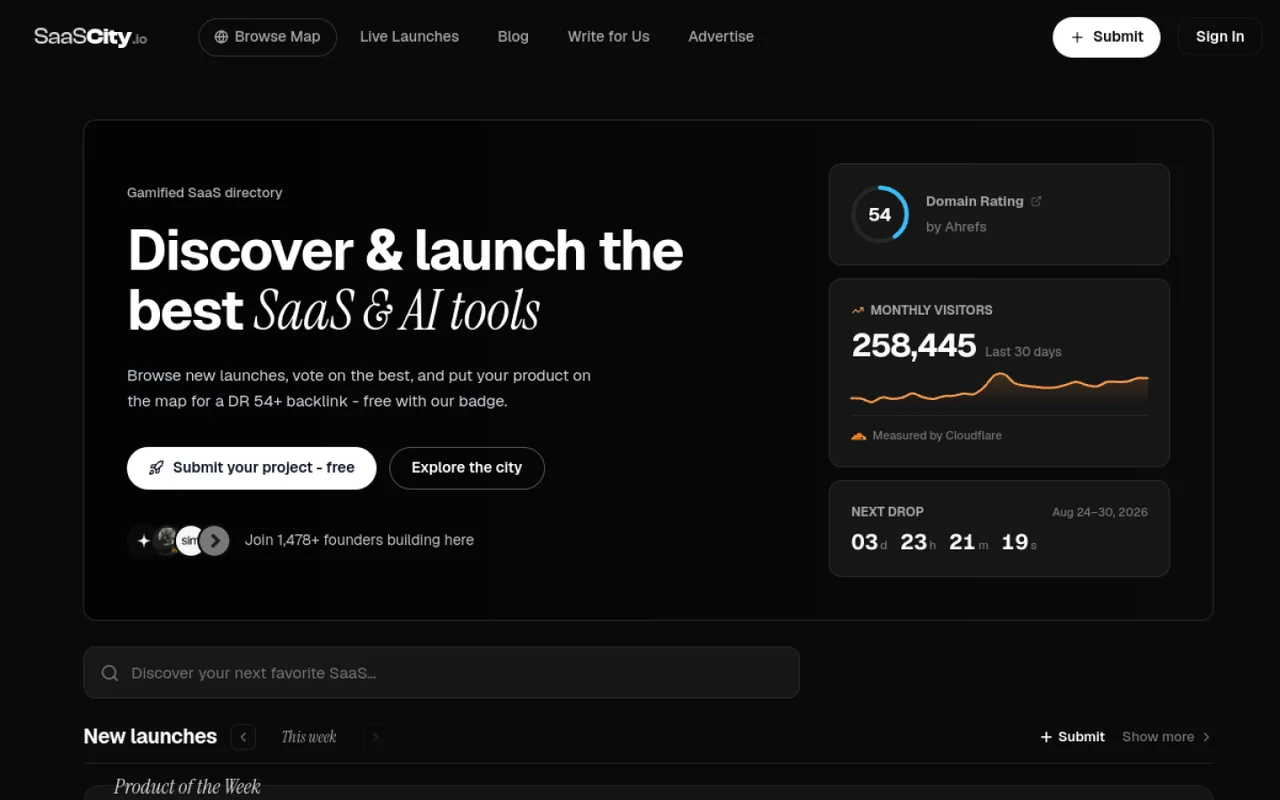
saascity.io
Eligibility
Who SaaSCity accepts
You need
An account (Google in one click, or email and password behind a Cloudflare captcha)
A live URL: the logo is pulled from your site's icon and the listing is built around the outbound link
A name under 60 characters and a tagline under 100
A description of at least 50 characters
Their badge in your homepage's raw HTML, on the free lane
You'll be rejected if
A product with no live URL, since the listing is built around the outbound link and the logo is read off your site
A maker who will not host a badge, on the free lane: the Submit button never unlocks without one
SaaS productsAI toolsDeveloper toolsMobile appsDirectoriesStartups
What you actually get
A listing page and a building on an isometric map that people actually pan around, plus upvotes and a weekly leaderboard. The review is fast and the queue is not: the site says approvals take under 24 hours, but a free listing does not appear until the launch week you booked, which was 123 days out when this was walked.
How to submit to SaaSCity
- Open the form from the map, signed inSubmit opens a dialog on /saascity rather than a page of its own, and /submit redirects there. Signed out it shows the sign-up card first: Google in one click, or email and password behind a Cloudflare captcha.
- Fill the listingName (60), tagline (100), exactly one category from fourteen, description (50 minimum, 5000 cap). Logo, up to four screenshots, X and GitHub are optional; the logo self-fills from your site's icon if you leave it.
- Pick the lane, against the defaultThree cards: Free, Quick Pass at $14.99, Premium at $99.99. Quick Pass is preselected, so Free has to be clicked before the button reads Continue with Free.
- Book a launch weekFifteen free slots a week, first come first served. Every earlier week is greyed out and marked FULL at 15/15; the first with room was Dec 21-27 2026, 123 days out.
- Verify the badge, then submitCopy their snippet onto your homepage, press Check my site for the badge, and only then does Submit project stop being disabled. The button says as much underneath it.
SaaSCity requirements
Account (Google, or email and password with a captcha)
Project name, 60 characters
Tagline, 100 characters
One category from their fixed list of fourteen
Description of 50 to 5000 characters
Their badge live in your homepage's raw HTML, on the free lane
Square logo, otherwise pulled from your site's iconoptional
Up to four screenshotsoptional
X handle and GitHub URLoptional
Gotchas
The free queue runs about four months deep. Every week between the walk and Dec 20 2026 read 15 of 15 slots taken and was locked; the first bookable free week was 123 days out, with a Skip the queue with Quick Pass button sitting above the list.
Quick Pass at $14.99 is the preselected card on the plan step, so reading the three tiers and pressing the button buys the paid one.
Submit stays disabled until their checker finds the badge in your homepage's raw HTML, which means deploying it before the listing can be sent at all, and their free lane is priced on it staying there.
Every plan card promises a dofollow link, but 18 of 24 live listings sampled linked out with rel="noopener nofollow". The followed ones were a badge holder and a payer, so treat the dofollow as rented rather than granted.
Let your agent submit to SaaSCity
Connect SubmitMap to your AI over MCP and this page stops being something you read and copy. Your agent asks for the SaaSCity playbook and gets the brief for this exact form, with the values already taken from your submission pack instead of placeholders you fill in by hand.
What it does for this platform
Checks your product against the 7 SaaSCity rules above, so you find out you would be rejected before you open a tab.
Hands your agent all 9 fields this form asks for, 3 of them optional, already filled from your pack.
Warns you that SaaSCity looks for its badge on your site, so it has to be live before you submit rather than after.
Tells you what paying buys here, so you pick it on purpose: $14.99 Quick Pass takes any week within 24h and drops the badge; $99.99 Premium adds two ad placements and a DR 30+ guarantee for your own site.
Types it into SaaSCity in your own browser, and stops for you when the form wants a sign-in.
Records what it sent, so the dashboard can answer "did I ever submit to SaaSCity?".
Connect your agentHow this worksTools and endpointsWorks with Claude Code, Claude, Codex, Cursor, VS Code and Hermes.
SaaSCity FAQ
How long does SaaSCity approval take?
SaaSCity's typical time from submission to going live is 3-6 months.
How much does it cost to submit to SaaSCity?
SaaSCity has a free submission option plus paid placement ($14.99 Quick Pass takes any week within 24h and drops the badge; $99.99 Premium adds two ad placements and a DR 30+ guarantee for your own site).
Does SaaSCity give a dofollow backlink?
Yes, a listing on SaaSCity carries a dofollow link. The site has a domain rating of 54.
Does SaaSCity require a backlink to your site?
Yes, SaaSCity expects a link back from your site as part of listing.
What gets you rejected from SaaSCity?
A product with no live URL, since the listing is built around the outbound link and the logo is read off your site; A maker who will not host a badge, on the free lane: the Submit button never unlocks without one.