SBi Visit
Visit
saas · ai · marketing · b2b
SaaSBison: requirements, how to submit, and what you actually get
A straight swap stated in their own words: one dofollow for one dofollow, and an automated crawler that unpublishes you the day the badge comes down.
saasbison.com
Eligibility
Who SaaSBison accepts
You need
Their badge live on your site with rel="dofollow", before the form will go past step 1
A page URL to point their verifier at
A live product site
You'll be rejected if
Crypto
Adult
Gambling
Anything they judge not a fit, which they say they remove and refund
SaaS productsAI toolsDeveloper toolsMarketing tools
What you actually get
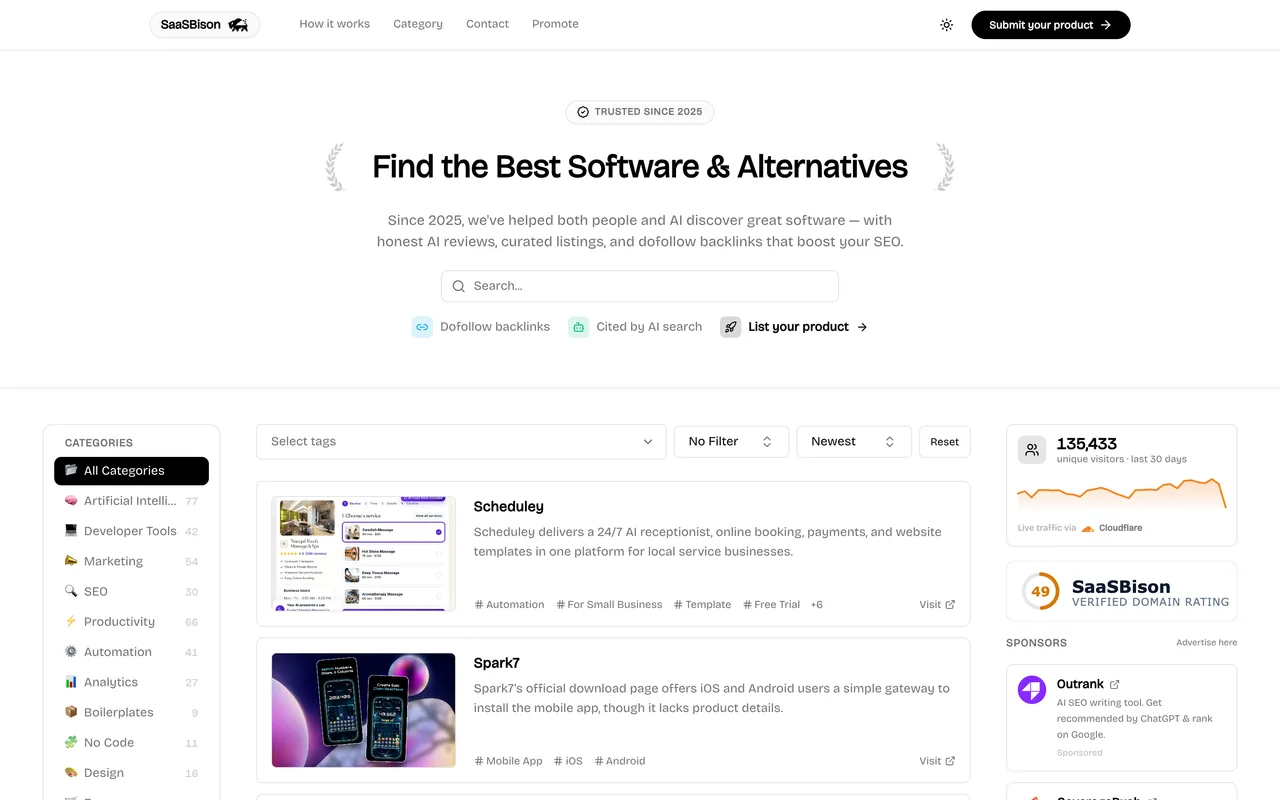
A listing page of roughly 1,500 characters in a directory of a few hundred products, carrying one permanent dofollow link. They claim 135,000 unique visitors in the last 30 days via a Cloudflare counter shown on the submit page, and pitch the listing as something AI search engines cite as well as Google.
How to submit to SaaSBison
1
Pick the lane
Step 1 of 3 is a comparison table. Select Free Listing is a small text link under the free column; Get Premium is the large orange button next to it.
2
Take the badge and verify
Choosing free replaces the table with a badge panel: a plain-text snippet, and copy-a-prompt buttons for Lovable, Cursor, Claude and Gemini. Paste the page URL carrying it and press Verify badge.
3
Fill the listing
Verification opens the details form in place: link, name, categories, tags, a 256-character description, a 2,000-character markdown introduction, a 1:1 icon and a 16:9 image, both capped at 1 MB, an email and two confirmation checkboxes.
4
Choose the lane again
Submit creates the record and lands on a second plan screen showing Status: Verified. Submit and Wait is the free path; Pay and Publish Right Now is .99.
5
Read the confirmation
Submission Received, reviewed within two weeks, with a reminder that removing the badge delists the product.
SaaSBison requirements
Their badge on a live page of your site, with rel="dofollow"
The URL of the page carrying it
Product name and link
At least one category and one tag
A description of up to 256 characters
An introduction of up to 2,000 characters, markdown allowed
A 1:1 icon and a 16:9 image, 1 MB each
A contact email
Gotchas
Nothing about your product is asked for until the badge is verified. The details form does not exist until then, so a run that starts without the badge already deployed cannot get past step 1.
The badge is permanent and policed by a crawler: their own panel says the listing is unpublished immediately if it is removed.
You choose between free and paid twice. The free option is a text link under the free column at the start, and after the details form a second screen offers .99 to publish now instead of waiting.
The icon wants 1:1 and the image 16:9, both under 1 MB, and neither slot says so until you are looking at it.
Let your agent submit to SaaSBison
Connect SubmitMap to your AI over MCP and this page stops being something you read and copy. Your agent asks for the SaaSBison playbook and gets the brief for this exact form, with the values already taken from your submission pack instead of placeholders you fill in by hand.
What it does for this platform
Checks your product against the 7 SaaSBison rules above, so you find out you would be rejected before you open a tab.
Hands your agent all 8 fields this form asks for, none of them optional, already filled from your pack.
Warns you that SaaSBison looks for its badge on your site, so it has to be live before you submit rather than after.
Tells you what paying buys here, so you pick it on purpose: free with a permanent dofollow badge on your site, reviewed manually when the queue reaches you. $9.99 once, marked down from $29.99, for instant approval, three dofollow links, an AI-written listing of about 3,500 characters and no badge at all.
Types it into SaaSBison in your own browser, and stops for you when the form wants a sign-in.
Records what it sent, so the dashboard can answer "did I ever submit to SaaSBison?".
Connect your agentTools and endpointsWorks with Claude Code, Claude, Codex, Cursor, VS Code and Hermes.
SaaSBison FAQ
How long does SaaSBison approval take?
SaaSBison's typical time from submission to going live is up to 2 weeks.
How much does it cost to submit to SaaSBison?
SaaSBison has a free submission option plus paid placement (Free with a permanent dofollow badge on your site, reviewed manually when the queue reaches you. $9.99 once, marked down from $29.99, for instant approval, three dofollow links, an AI-written listing of about 3,500 characters and no badge at all.).
Does SaaSBison give a dofollow backlink?
Yes, a listing on SaaSBison carries a dofollow link. The site has a domain rating of 50.
Does SaaSBison require a backlink to your site?
Yes, SaaSBison expects a link back from your site as part of listing.
What gets you rejected from SaaSBison?
Crypto; Adult; Gambling; Anything they judge not a fit, which they say they remove and refund.