
ai · directory
MyGemAi: requirements, how to submit, and what you actually get
An English and Chinese AI tools directory with a free editor-reviewed lane and a paid one.
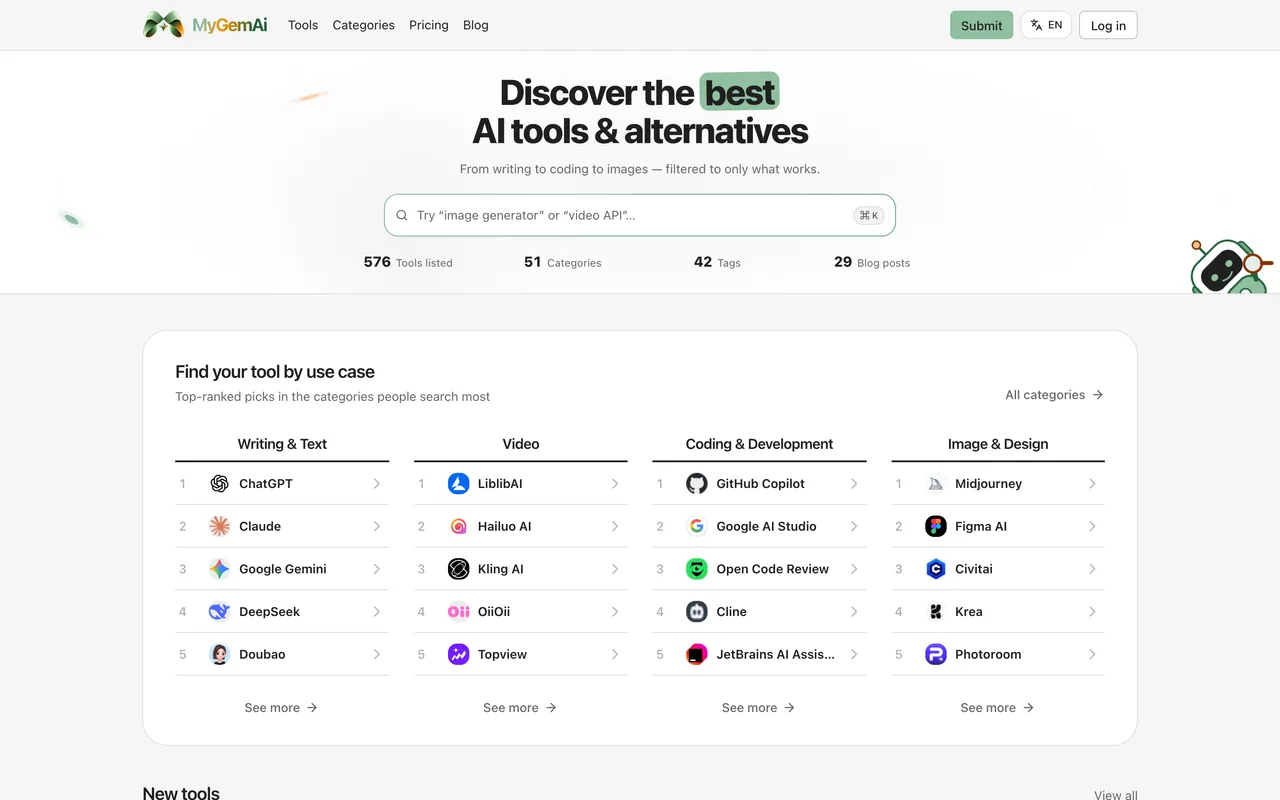
mygemai.com
Eligibility
Who MyGemAi accepts
You need
An account: Google, or email and password
A live product with a clear AI use case
You'll be rejected if
Products with no AI component
AI toolsAI agents
What you actually get
A tool page with pricing, tags, alternatives and an optional Chinese tagline and description. Every Visit link runs through their own /go/<slug> redirect with rel=nofollow, so the link carries no weight; the value is a bilingual audience. The domain was registered in August 2026 and measured DR 0.2 when we submitted, with about 576 tools listed.
How to submit to MyGemAi
- Sign in/submit asks you to log in. Google sign-in is there, or email and password.
- Fill one pageWebsite, name, English tagline and description, optional Chinese versions of both, pricing (Free, Freemium, Paid or Unverified, plus a separate free-trial switch), one category, tags, a logo, up to six screenshots and social links.
- Submit for review'Submission received' with an upsell to a paid listing below it. The dashboard's Submissions tab shows the row as Free, Pending.
MyGemAi requirements
Website URL
Tool name
120 characters
Tagline (English)
200 characters
Description (English)
5,000 characters
Pricing
Free, Freemium, Paid or Unverified
Category
one
Logooptional
PNG, JPG, WebP or SVG, up to 2 MB
Screenshotsoptional
up to 6, PNG, JPG or WebP, 5 MB each
Chinese tagline and descriptionoptional
Gotchas
The free-trial switch is separate from pricing and they say a trial is not a free plan: leave it off unless new users get time-limited access.
The pricing page lists the paid listing and featured placement without prices; you only see what they cost on the Creem checkout.
Let your agent submit to MyGemAi
Connect SubmitMap to your AI over MCP and this page stops being something you read and copy. Your agent asks for the MyGemAi playbook and gets the brief for this exact form, with the values already taken from your submission pack instead of placeholders you fill in by hand.
What it does for this platform
Checks your product against the 3 MyGemAi rules above, so you find out you would be rejected before you open a tab.
Hands your agent all 9 fields this form asks for, 3 of them optional, already filled from your pack.
Tells you what paying buys here, so you pick it on purpose: submitting is free and reviewed by an editor. A paid listing, homepage Featured placement (90 or 360 days) and banner ads are one-time purchases through Creem; the price is shown only at checkout.
Types it into MyGemAi in your own browser, and stops for you when the form wants a sign-in.
Records what it sent, so the dashboard can answer "did I ever submit to MyGemAi?".
Connect your agentHow this worksTools and endpointsWorks with Claude Code, Claude, Codex, Cursor, VS Code and Hermes.
MyGemAi FAQ
How long does MyGemAi approval take?
MyGemAi's typical time from submission to going live is 3-5 days.
How much does it cost to submit to MyGemAi?
MyGemAi has a free submission option plus paid placement (Submitting is free and reviewed by an editor. A paid listing, homepage Featured placement (90 or 360 days) and banner ads are one-time purchases through Creem; the price is shown only at checkout.).
Does MyGemAi give a dofollow backlink?
No, links from MyGemAi are nofollow.
Does MyGemAi require a backlink to your site?
No, MyGemAi does not require a link back from your site.
What gets you rejected from MyGemAi?
Products with no AI component.
For platform owners
Run MyGemAi? Put the badge on it
It links back to this page, where makers read who you accept and how to submit. Pick the version that matches where it will sit, copy the snippet, and paste it into your footer or wherever your other badges go.

<a href="https://submitmap.com/platform/mygemai/">
  <img src="https://submitmap.com/badge/listed-light.svg" alt="Listed on SubmitMap" width="150" height="52">
</a>
No account, no cost and nothing to verify: it works the moment it is on the page. If anything on this page is out of date, tell us and we will fix the record.