
ai · dev · saas
CodeHype: requirements, how to submit, and what you actually get
A free launch whose link follows for as long as their badge stays on your site
codehype.ai
Eligibility
Who CodeHype accepts
You need
An account, via Google or email
A name of 30 characters or less and a tagline of 140 or less
A square logo, which is the only required media
You'll be rejected if
Every launch is reviewed before it goes public, and their wording is that it goes live once approved. No rule is published for what fails.
AI toolsAI agentsSaaS productsDev toolsStartups
What you actually get
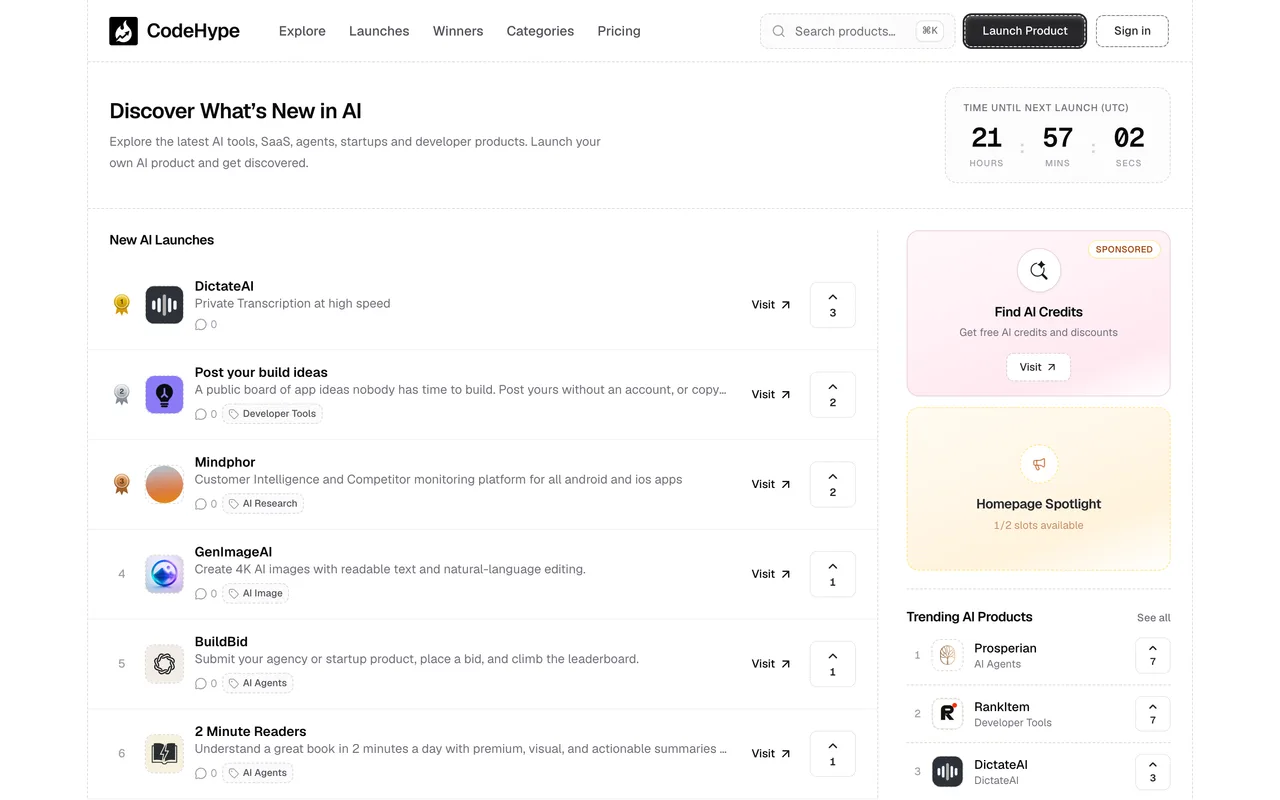
A page at /product/<slug> with your tagline as its title, a description, logo, up to five screenshots, a category and a product type. It is reviewed first and goes public at 00:00 UTC on the date you booked. The link follows, but conditionally: their words are "dofollow while the badge stays on your site", their verifier re-checks every three days, and with no badge up the anchor is rel="noopener noreferrer nofollow". The $15 Plus tier makes it permanent with no badge.
How to submit to CodeHype
1
Sign in before you type anything
The form is fillable signed out but signing in reloads it empty. Do the account first: Continue with Google, or email and password.
2
Fill the essentials, or let it read your site
Paste your URL into Fill with AI and it writes the name, tagline and description for you, then you edit. Or type them: name capped at 30, tagline at 140, description at 2,000.
3
Classify and add media
One of twelve categories, one of nine product types, a square logo which is required, and up to five screenshots.
4
Pick a launch date and launch
Earliest is tomorrow UTC, up to three months ahead, and launches go live at 00:00 UTC. Launch product sends it to review, and /my-launches shows it as In review.
CodeHype requirements
A live URL
Account
Product name
30 characters
Tagline
140 characters
Descriptionoptional
2,000 characters
Category
one of 12
Product type
one of 9
Logo
square
Screenshotsoptional
up to 5
Launch date
tomorrow to 3 months out, 00:00 UTC
Gotchas
The link is rented, not given. It follows only while their badge is on your site and they re-check every three days, so taking the badge down costs the link a few days later rather than immediately. That is a standing commitment on your own footer, not a one-off submission task.
The badge snippet lives under Manage, then the Embeds tab, on your own product page. It is not linked from anywhere public and /badge, /badges and /embed are all 404, so it is easy to conclude there is no badge to get.
Signing in wipes the form. You can fill the whole thing signed out, and the moment you authenticate the page reloads empty, so make the account first.
Fill with AI will write your name, tagline and description from your URL if you let it. That is quick and it is also your listing copy, so read what it produced rather than launching it unseen.
The $15 Plus tier is what makes dofollow permanent and badge-free, which means the free lane's link is something you keep paying for in badge space rather than money.
Let your agent submit to CodeHype
Connect SubmitMap to your AI over MCP and this page stops being something you read and copy. Your agent asks for the CodeHype playbook and gets the brief for this exact form, with the values already taken from your submission pack instead of placeholders you fill in by hand.
What it does for this platform
Checks your product against the 4 CodeHype rules above, so you find out you would be rejected before you open a tab.
Hands your agent all 10 fields this form asks for, 2 of them optional, already filled from your pack.
Warns you that CodeHype looks for its badge on your site, so it has to be live before you submit rather than after.
Tells you what paying buys here, so you pick it on purpose: free launch with a listing, a public product page, homepage leaderboard eligibility and analytics. Plus is $15 one-time per product, Pro adds a published article, and Homepage Spotlight is $15 a week booked separately.
Types it into CodeHype in your own browser, and stops for you when the form wants a sign-in.
Records what it sent, so the dashboard can answer "did I ever submit to CodeHype?".
Connect your agentHow this worksTools and endpointsWorks with Claude Code, Claude, Codex, Cursor, VS Code and Hermes.
CodeHype FAQ
How long does CodeHype approval take?
CodeHype's typical time from submission to going live is 1-2 days.
How much does it cost to submit to CodeHype?
CodeHype has a free submission option plus paid placement (Free launch with a listing, a public product page, homepage leaderboard eligibility and analytics. Plus is $15 one-time per product, Pro adds a published article, and Homepage Spotlight is $15 a week booked separately.).
Does CodeHype give a dofollow backlink?
Yes, a listing on CodeHype carries a dofollow link. The site has a domain rating of 9.
Does CodeHype require a backlink to your site?
Yes, CodeHype expects a link back from your site as part of listing.
What gets you rejected from CodeHype?
Every launch is reviewed before it goes public, and their wording is that it goes live once approved. No rule is published for what fails.