LA Visit
Visit
ai · saas · dev · indie
Launch (trylaunch.ai): requirements, how to submit, and what you actually get
A genuinely free five step launch with a dofollow link straight to your site, and no badge asked for anywhere.
trylaunch.ai
Eligibility
Who Launch (trylaunch.ai) accepts
You need
A Google or GitHub account, or an email and password
A square product icon and a 1200x630 hero image, both required
A description, one to three categories, and at least one platform
You'll be rejected if
Anything that has to go live on a particular day, since picking the date is sold separately and the free lane takes what it is given
AI toolsSaaS productsDev toolsStartups
What you actually get
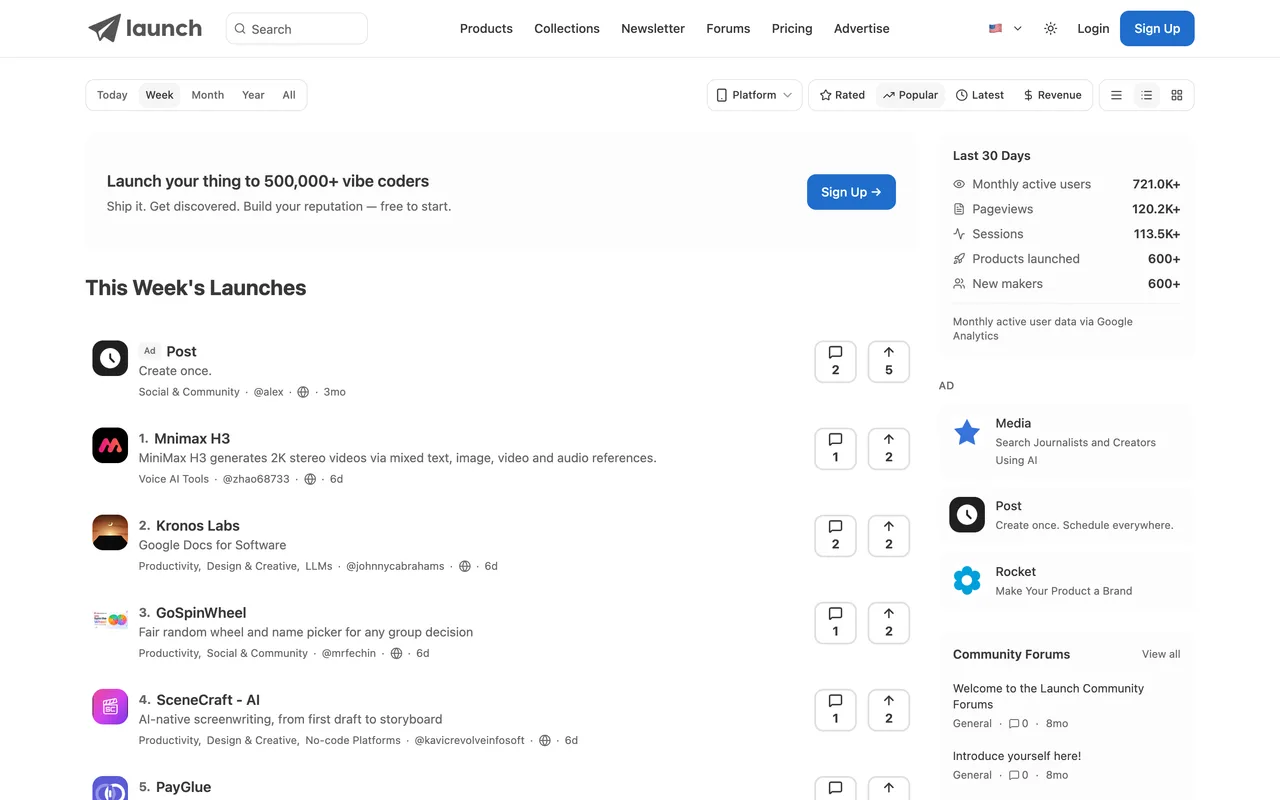
A listing at /launch/<your-slug> with two Visit Website links straight to your domain, both rel="noopener noreferrer" and neither nofollow. The free queue is scheduled after paid launches, which their own review step says out loud.
How to submit to Launch (trylaunch.ai)
1
Sign in first, or the submit route is invisible
Signed out there is no submit link anywhere on the site. Sign in at /auth with Google, GitHub or email and a Submit button appears in the header.
2
Say whether you are the founder
Founder Launch gives founder attribution, profile visibility and a badge. Community Launch is for submitting somebody else's product.
3
Basic information, then media
Name, tagline and website, then a required square icon and a required 1200x630 hero. Screenshots and a demo video are optional.
4
Product details
A description, up to three categories, at least one platform, up to five tags, and a URL slug they generate from the name.
5
Pick the plan, then review
Free is preselected. The review card restates the plan before you press Submit to Launch, and a first comment prompt follows.
Launch (trylaunch.ai) requirements
Product name, tagline and website URL
A square product icon and a 1200x630 hero image
A description and one to three categories
At least one platform
Three to six screenshots and a demo videooptional
An X handle to tag on launch dayoptional
Gotchas
Signed out, there is no way in. The site shows no submit link at all until you have an account, so the flow looks like it does not exist rather than like it needs a login.
The pricing page advertises a standard queue of about three days. The flow itself says free launches are scheduled behind paid ones, and the plan step then quotes roughly seven. Believe the second number.
Both images are required and neither is forgiving: a square icon and a 1200x630 hero, with no option to skip either.
After submitting they ask to connect Stripe to verify revenue for a leaderboard badge. It is optional and read only by their description, but it is a payment provider connection arriving after the launch is already done.
Let your agent submit to Launch (trylaunch.ai)
Connect SubmitMap to your AI over MCP and this page stops being something you read and copy. Your agent asks for the Launch (trylaunch.ai) playbook and gets the brief for this exact form, with the values already taken from your submission pack instead of placeholders you fill in by hand.
What it does for this platform
Checks your product against the 4 Launch (trylaunch.ai) rules above, so you find out you would be rejected before you open a tab.
Hands your agent all 6 fields this form asks for, 2 of them optional, already filled from your pack.
Tells you what paying buys here, so you pick it on purpose: pro is $39 and skips the queue, adds social and newsletter promotion, a chosen launch date and a verified badge; the same extras are sold separately at $25, $49, $15 and $10. Grow is $199 and adds directory submissions on top.
Types it into Launch (trylaunch.ai) in your own browser, and stops for you when the form wants a sign-in.
Records what it sent, so the dashboard can answer "did I ever submit to Launch (trylaunch.ai)?".
Connect your agentTools and endpointsWorks with Claude Code, Claude, Codex, Cursor, VS Code and Hermes.
Launch (trylaunch.ai) FAQ
How long does Launch (trylaunch.ai) approval take?
Launch (trylaunch.ai)'s typical time from submission to going live is about 7 days.
How much does it cost to submit to Launch (trylaunch.ai)?
Launch (trylaunch.ai) has a free submission option plus paid placement (Pro is $39 and skips the queue, adds social and newsletter promotion, a chosen launch date and a verified badge; the same extras are sold separately at $25, $49, $15 and $10. Grow is $199 and adds directory submissions on top.).
Does Launch (trylaunch.ai) give a dofollow backlink?
Yes, a listing on Launch (trylaunch.ai) carries a dofollow link. The site has a domain rating of 56.
Does Launch (trylaunch.ai) require a backlink to your site?
No, Launch (trylaunch.ai) does not require a link back from your site.
What gets you rejected from Launch (trylaunch.ai)?
Anything that has to go live on a particular day, since picking the date is sold separately and the free lane takes what it is given.