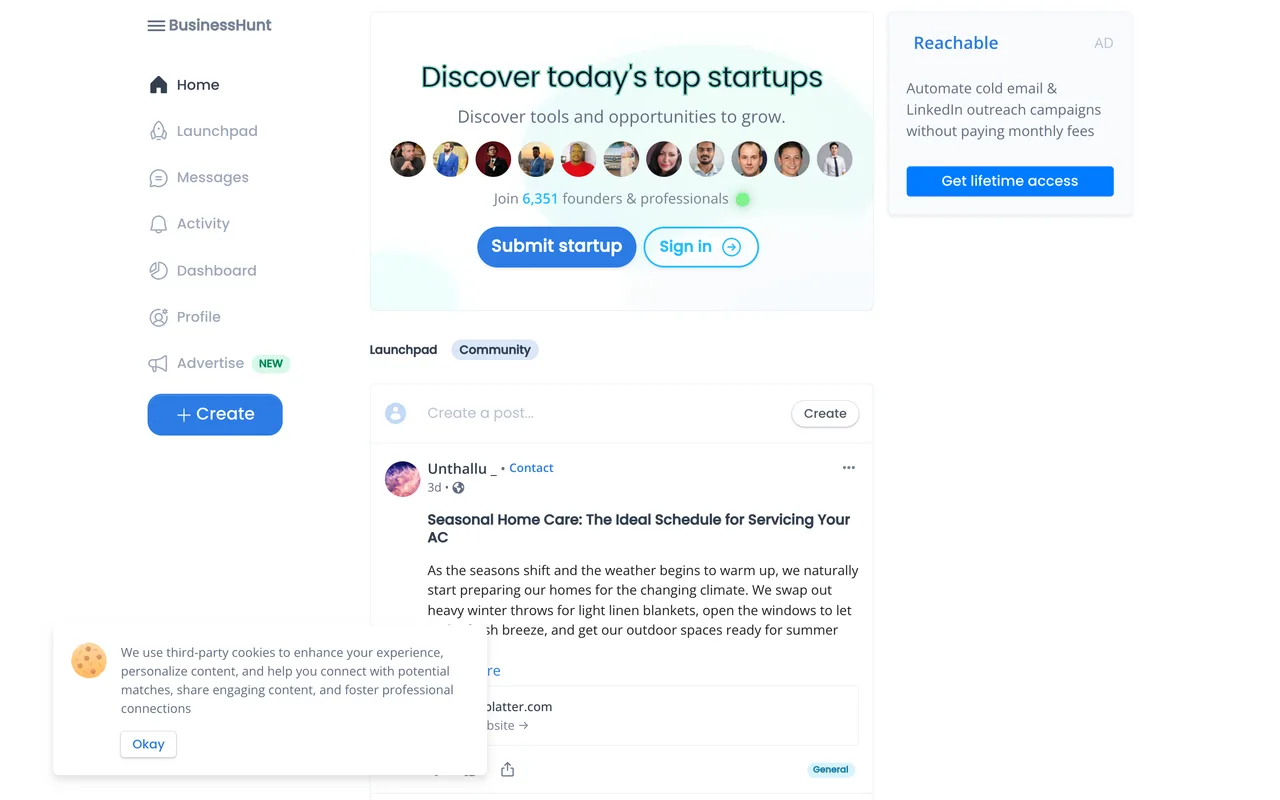
A business page at /businesses/<slug> that goes live the moment the first step saves, carrying a Visit Website button and your URL in text, both rel="noopener noreferrer" with no nofollow. What the $39 adds is a launch event on their Launchpad, not the page.
How to submit to BusinessHunt
1
Create the account first
/businesses/add answers that you must sign up or log in. The card offers a passwordless magic link and an email with password, and nothing else.
2
Fill the product info step
Product name, tagline, website, location, description, an industry from a long list, and an optional logo.
3
Press Next, which is the real submit
This answers "Business added successfully" and the page is live from that moment. Nothing later in the flow is needed to have a listing.
4
Read the Launch Date step for what it is
The stepper reads Create, Product Info, Launch Date, Done. Step two is headed Launch Date in the stepper and Launch Plan on the panel, and offers exactly one option, Premium Launch, preselected, with no free alternative anywhere on the step. This buys a launch event, not the listing you already have.
5
Stop there and check the dashboard
Businesses You Manage should read one, and /businesses/<slug> should load with your Visit Website link on it.
BusinessHunt requirements
Product name, tagline and website
A location
A description
An industry from their list
A square logo under 1MBoptional
Gotchas
The second step is Launch Date in the stepper and Launch Plan on the panel, and it shows one option, Premium Launch, and no free one, which reads as a paywall on the whole submission. It is not: the listing went live at the previous step and the money buys a launch event on top.
The site is heavily ad-monetised to the point that ad units cover the sign-in card and the consent panel sits over the form. Expect to dismiss two overlays before you can type.
There is no Google option. Both routes offered are a magic link and an email with a password, confirmed from the whole card rather than a text scrape.
The logo upload rejected a 55KB square PNG with "Failed to upload logo" and left the listing without one. It is optional, so the submission still completes, but budget for adding it by hand later.
Let your agent submit to BusinessHunt
Connect SubmitMap to your AI over MCP and this page stops being something you read and copy. Your agent asks for the BusinessHunt playbook and gets the brief for this exact form, with the values already taken from your submission pack instead of placeholders you fill in by hand.
What it does for this platform
Checks your product against the 4 BusinessHunt rules above, so you find out you would be rejected before you open a tab.
Hands your agent all 5 fields this form asks for, 1 of them optional, already filled from your pack.
Tells you what paying buys here, so you pick it on purpose: $99 one-time, shown struck through to $39 under a Black Friday label, is the Premium Launch: launch immediately or pick a date, a newsletter feature, a guest post with a permanent backlink, capped at five spots a week. A separate sponsor slot runs $5 a day. Neither is needed for the listing itself.
Types it into BusinessHunt in your own browser, and stops for you when the form wants a sign-in.
Records what it sent, so the dashboard can answer "did I ever submit to BusinessHunt?".
BusinessHunt's typical time from submission to going live is instant.
How much does it cost to submit to BusinessHunt?
BusinessHunt has a free submission option plus paid placement ($99 one-time, shown struck through to $39 under a Black Friday label, is the Premium Launch: launch immediately or pick a date, a newsletter feature, a guest post with a permanent backlink, capped at five spots a week. A separate sponsor slot runs $5 a day. Neither is needed for the listing itself.).
Does BusinessHunt give a dofollow backlink?
Yes, a listing on BusinessHunt carries a dofollow link. The site has a domain rating of 52.
Does BusinessHunt require a backlink to your site?
No, BusinessHunt does not require a link back from your site.
What gets you rejected from BusinessHunt?
Nothing stated in their guidelines, which name no refused categories at all.
For platform owners
Run BusinessHunt? Put the badge on it
It links back to this page, where makers read who you accept and how to submit. Pick the version that matches where it will sit, copy the snippet, and paste it into your footer or wherever your other badges go.
HTML
<a href="https://submitmap.com/platform/businesshunt/">
  <img src="https://submitmap.com/badge/listed-light.svg" alt="Listed on SubmitMap" width="150" height="52">
</a>
No account, no cost and nothing to verify: it works the moment it is on the page. If anything on this page is out of date, tell us and we will fix the record.