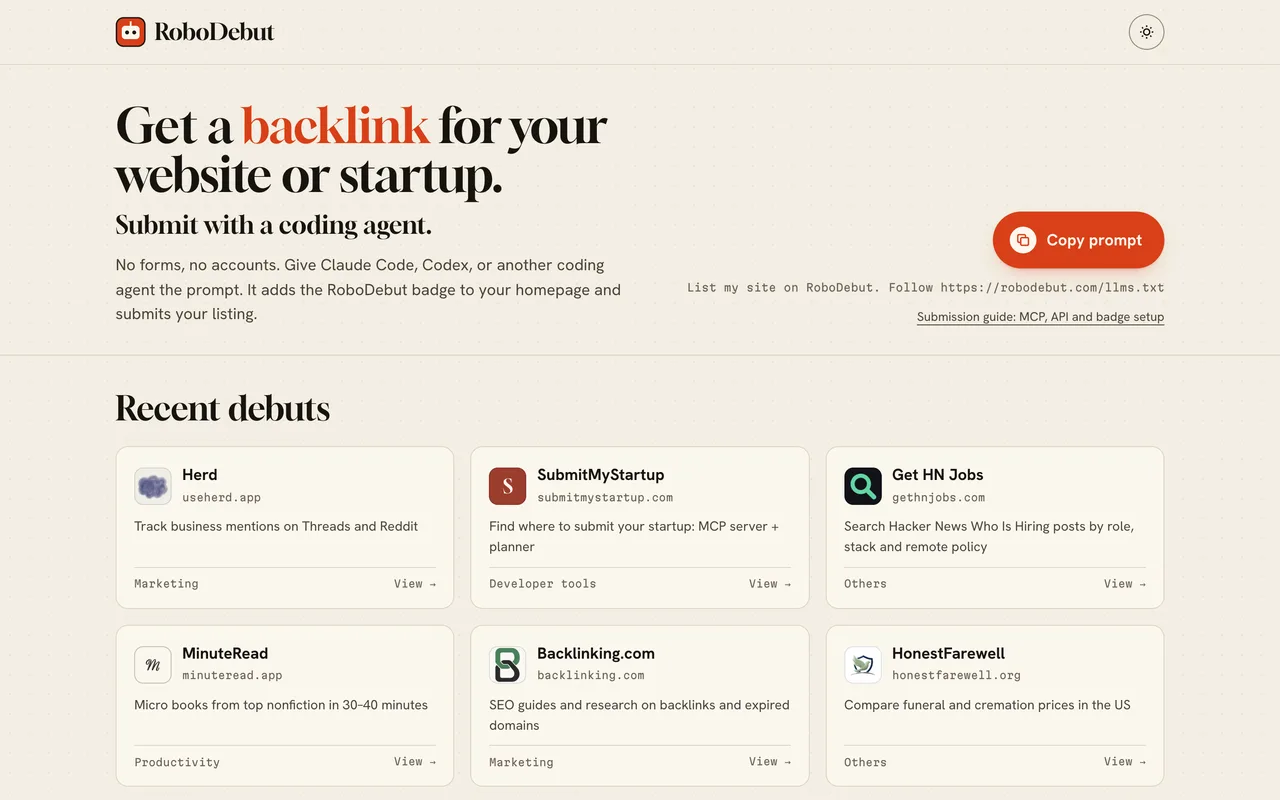
A directory with no submission form: your coding agent adds the badge, sends six fields, and the operator reviews it.
robodebut.com
Eligibility
Who RoboDebut accepts
You need
A public HTTPS homepage on the apex or www of your own domain
Their badge as a visible, followed link in the HTML your homepage's server sends
A coding agent, or anything that can send one JSON request: there is no form for people
You'll be rejected if
A homepage on any other subdomain, such as app.example.com
A second listing for a domain already proposed, including its www variant
A homepage that sets nofollow at page level, in a robots meta tag or an X-Robots-Tag header
Websites of any kind
What you actually get
A page at /p/<slug> with your name, tagline, description and category, and a plain followed link to your homepage, plus a card under Recent debuts and on the category page. The domain was registered on 24 October 2026 and launched three days later; it held nine listings when we looked, some placed by the operator (Tally, Dub) and some added through LinkBunny, the link-exchange service the same person runs and says so on the About page. It measured DR 2, so this is an early followed link rather than a source of visitors.
How to submit to RoboDebut
1
Hand it to an agent
There is no form and no account. Paste their one-line prompt into a coding agent; it points at llms.txt, which holds the current rules, the badge snippet and the field limits.
2
Badge in the served HTML
The agent adds the badge anchor to your homepage at /, in what the server sends rather than in a client component, with no rel on it, and deploys it. Check it with curl before anything is sent.
3
Six fields, one request
Homepage URL, name, tagline, description, category and a private contact email, through the anonymous MCP server's submit_project tool or a POST to /api/v1/listings. The badge is checked on arrival.
4
Wait for review
pending_review means the operator has it. Nothing publishes automatically. A first approval sends an email to the contact address, on a best-effort basis; a rejection sends nothing, and listings approved before the email existed get no catch-up.
5
Keep the receipt
The response that creates the proposal carries a private status receipt, and only that one does: a second send, the same contact email or a later retry never returns it. Give it to get_submission_status on the MCP server, or POST it to /api/v1/submissions/status, to see whether the proposal is still pending, approved (with the listing URL) or not public.
RoboDebut requirements
Homepage URL
HTTPS, apex or www only
Name
1 to 80 characters
Tagline
one line, 1 to 80 characters
Description
20 to 2,000 characters, plain text
Category
one of seven fixed slugs
Contact email
kept private, up to 254 characters
Their badge as a followed link on your homepage
180x40, light or dark
Gotchas
The badge check reads raw HTML and runs no JavaScript, so a badge rendered by a client component is not found, and a robots meta or X-Robots-Tag nofollow on the homepage fails it however the link is written.
The approval email is best-effort and a rejection sends none. The way to check is the private status receipt the first submission returns, and it is issued once, so make sure whoever submits hands it to you.
The first proposal for a domain is the one that stands. A second send saves nothing and returns no new receipt, and there is no way to edit the first, so a typo in the tagline stays until the operator changes it.
The badge has to stay up. They recheck it, email the contact address when it has gone, and can unapprove the listing.
Let your agent submit to RoboDebut
Connect SubmitMap to your AI over MCP and this page stops being something you read and copy. Your agent asks for the RoboDebut playbook and gets the brief for this exact request, with the values already taken from your submission pack instead of placeholders you fill in by hand.
What it does for this platform
Checks your product against the 6 RoboDebut rules above, so you find out you would be rejected before you open a tab.
Builds the request RoboDebut takes from your pack, so there is nothing to retype: RoboDebut has no form.
Warns you that RoboDebut looks for its badge on your site, so it has to be live before you submit rather than after.
Sends it to RoboDebut through their own API, with no browser to drive and no account to sign in to.
Records what it sent, so the dashboard can answer "did I ever submit to RoboDebut?".
RoboDebut does not publish how long approval takes.
How much does it cost to submit to RoboDebut?
Submitting to RoboDebut is free.
Does RoboDebut give a dofollow backlink?
Yes, a listing on RoboDebut carries a dofollow link. The site has a domain rating of 2.
Does RoboDebut require a backlink to your site?
Yes, RoboDebut expects a link back from your site as part of listing.
What gets you rejected from RoboDebut?
A homepage on any other subdomain, such as app.example.com; A second listing for a domain already proposed, including its www variant; A homepage that sets nofollow at page level, in a robots meta tag or an X-Robots-Tag header.
For platform owners
Run RoboDebut? Put the badge on it
It links back to this page, where makers read who you accept and how to submit. Pick the version that matches where it will sit, copy the snippet, and paste it into your footer or wherever your other badges go.
HTML
<a href="https://submitmap.com/platform/robodebut/">
  <img src="https://submitmap.com/badge/listed-light.svg" alt="Listed on SubmitMap" width="150" height="52">
</a>
No account, no cost and nothing to verify: it works the moment it is on the page. If anything on this page is out of date, tell us and we will fix the record.