
productivity · no-code
Notion Integrations: requirements, how to submit, and what you actually get
Six fields on an Airtable form, one to two days, and every one of its 106 outbound links is a bare dofollow.
notionintegrations.com
Eligibility
Who Notion Integrations accepts
You need
A product that actually integrates with or extends Notion
A live public URL
You'll be rejected if
Anything with no Notion connection, however good the product
Notion integrations
What you actually get
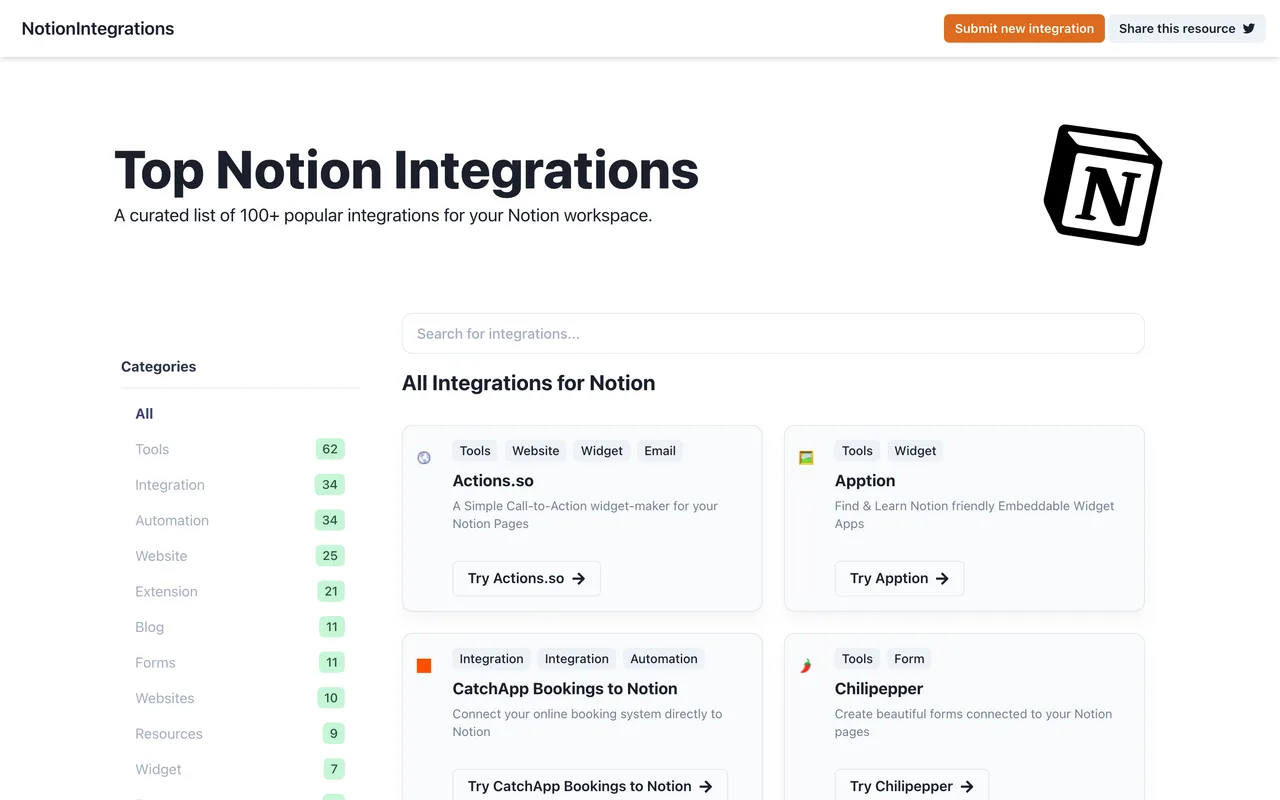
A card in a curated list of a hundred-odd Notion integrations, filed under categories like Tools, Automation, Extension and Widget, with a bare dofollow link straight to your domain. The list is one page, so a listing is genuinely browsable rather than buried.
How to submit to Notion Integrations
- Follow Submit new integrationThe link in the header goes off-site to an Airtable form at airtable.com/shr3fffuBvIBXyVt3. There is no form on notionintegrations.com itself.
- Fill six required fieldsIntegration Name, Website Link, Category, Tags, Subtitle and Pricing, all marked required. No account, no login and no captcha.
- Wait one to two daysThe form states new integrations will typically be added within 1-2 days, which is unusually specific for this kind of list.
Notion Integrations requirements
Integration name
Website link
A category and tags from their fixed lists
A subtitle
A pricing answer
Gotchas
The submission leaves the site entirely for an Airtable form, so there is no account, no record on the directory itself and nothing to check afterwards except whether the card appears.
Every field on the Airtable form is marked required including Tags and Subtitle, so a submission cannot be sent with the classification left blank.
Let your agent submit to Notion Integrations
Connect SubmitMap to your AI over MCP and this page stops being something you read and copy. Your agent asks for the Notion Integrations playbook and gets the brief for this exact form, with the values already taken from your submission pack instead of placeholders you fill in by hand.
What it does for this platform
Checks your product against the 3 Notion Integrations rules above, so you find out you would be rejected before you open a tab.
Hands your agent all 5 fields this form asks for, none of them optional, already filled from your pack.
Types it into Notion Integrations in your own browser, and stops for you when the form wants a sign-in.
Records what it sent, so the dashboard can answer "did I ever submit to Notion Integrations?".
Connect your agentHow this worksTools and endpointsWorks with Claude Code, Claude, Codex, Cursor, VS Code and Hermes.
Notion Integrations FAQ
How long does Notion Integrations approval take?
Notion Integrations's typical time from submission to going live is 1-2 days.
How much does it cost to submit to Notion Integrations?
Submitting to Notion Integrations is free.
Does Notion Integrations give a dofollow backlink?
Yes, a listing on Notion Integrations carries a dofollow link. The site has a domain rating of 18.
Does Notion Integrations require a backlink to your site?
No, Notion Integrations does not require a link back from your site.
What gets you rejected from Notion Integrations?
Anything with no Notion connection, however good the product.