The free listing costs a badge and three upvotes, and their own card calls the upvote half a weekly streak rather than a one-off.
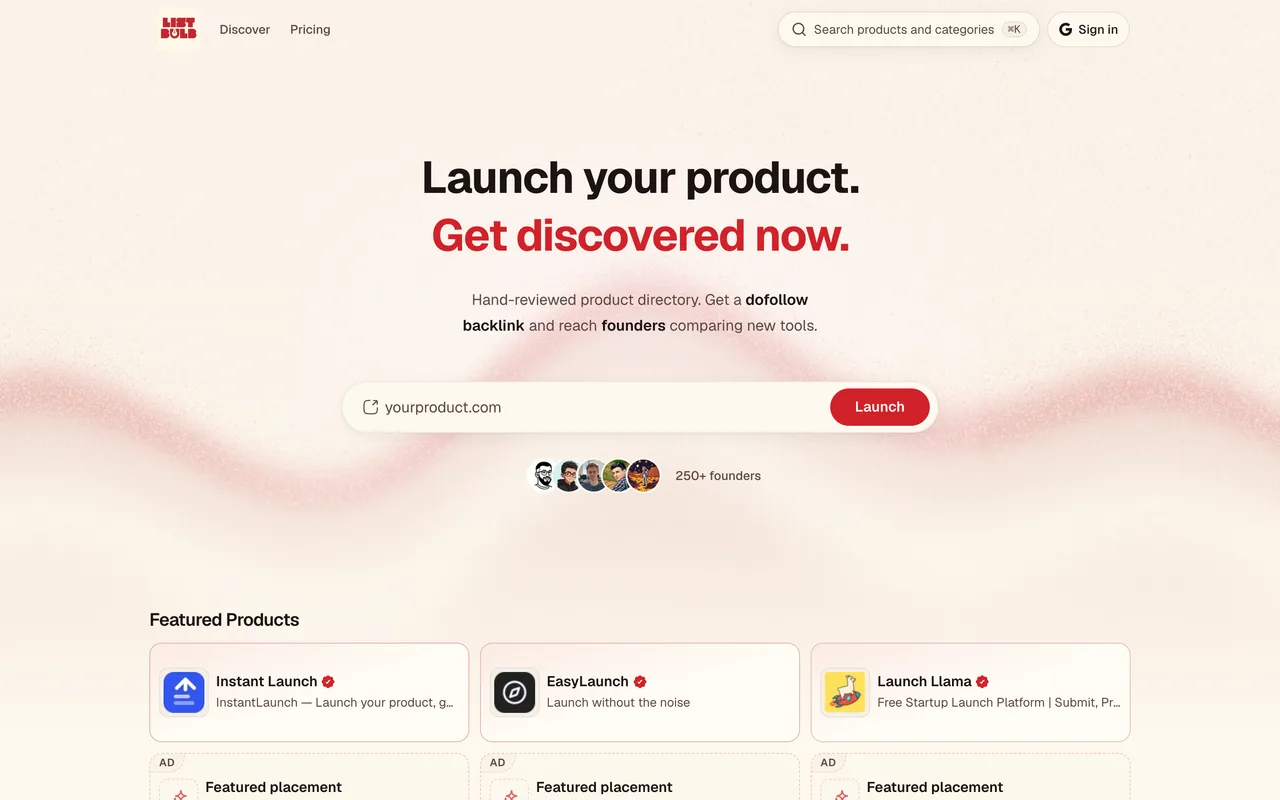
listbulb.com
Eligibility
Who List Bulb accepts
You need
A Google account, which is the only way in
Their badge live on your site, for the free tier
Three upvotes on other products in the current week
A description of at least 200 characters
You'll be rejected if
A site you will not keep their badge on, since the free listing is priced in that badge
No appetite for a recurring weekly task, which is what their upvote streak asks for
AI toolsSaaS productsDev toolsMarketing toolsDirectories
What you actually get
A listing at /tools/<your-slug> carrying one dofollow link, after an editorial review their card puts at 24 to 48 hours. The free card also says 110+ tools are ahead of you in that queue, so the wait is the queue rather than the review.
How to submit to List Bulb
1
Sign in before anything else
The form renders signed out but ends in a line reading sign in to save your draft and choose a listing plan. Google is the only provider offered.
2
Paste the URL and press Autofill
The listing fields are locked until you do. Autofill scrapes your homepage and writes the name, slug, headline and description for you.
3
Correct what Autofill wrote
It is a scrape, not a listing: it mis-cased our name, used our page title as the headline, and produced a description 54 characters under their own 200 character minimum.
4
Classify and save
One category from six, up to five tags, and a contact email. Save & continue creates a draft and moves you to the plan page.
5
Take the free plan, then clear both gates
Upvote three products to unlock free submission, deploy their badge, and only then does Verify & submit put you in the queue.
List Bulb requirements
Product URL and name
A headline and a description of at least 200 characters
One category from their six
A contact email
Their badge live on your site
Three upvotes on other products in the current week
Up to five tagsoptional
An X handleoptional
Gotchas
The free tier is priced in a weekly habit, not a one-off favour. Three upvotes unlock the submission, and their card words it as a weekly upvote streak, so the obligation carries on past the day your listing goes live.
You cannot write your own listing first. Every field below the URL stays locked until you press their Autofill button, so a scrape of your homepage is always the starting draft and correcting it is the actual work.
The 24 to 48 hour review is not the wait. The free plan card says 110+ tools are ahead of you in the queue, and $10.50 is what skips it.
The description has a 200 character floor, and the copy Autofill writes lands under it, so the field that looks finished is the one that blocks you.
Let your agent submit to List Bulb
Connect SubmitMap to your AI over MCP and this page stops being something you read and copy. Your agent asks for the List Bulb playbook and gets the brief for this exact form, with the values already taken from your submission pack instead of placeholders you fill in by hand.
What it does for this platform
Checks your product against the 6 List Bulb rules above, so you find out you would be rejected before you open a tab.
Hands your agent all 8 fields this form asks for, 2 of them optional, already filled from your pack.
Warns you that List Bulb looks for its badge on your site, so it has to be live before you submit rather than after.
Tells you what paying buys here, so you pick it on purpose: quickPass is $10.50, down from $15, and buys a six hour review, two dofollow links and no badge requirement. Featured is $21, down from $30, and adds homepage placement for two weeks with four dofollow links, falling back to two once the placement ends.
Types it into List Bulb in your own browser, and stops for you when the form wants a sign-in.
Records what it sent, so the dashboard can answer "did I ever submit to List Bulb?".
Connect your agentTools and endpointsWorks with Claude Code, Claude, Codex, Cursor, VS Code and Hermes.
List Bulb FAQ
How long does List Bulb approval take?
List Bulb's typical time from submission to going live is about 2 days.
How much does it cost to submit to List Bulb?
List Bulb has a free submission option plus paid placement (QuickPass is $10.50, down from $15, and buys a six hour review, two dofollow links and no badge requirement. Featured is $21, down from $30, and adds homepage placement for two weeks with four dofollow links, falling back to two once the placement ends.).
Does List Bulb give a dofollow backlink?
Yes, a listing on List Bulb carries a dofollow link. The site has a domain rating of 56.
Does List Bulb require a backlink to your site?
Yes, List Bulb expects a link back from your site as part of listing.
What gets you rejected from List Bulb?
A site you will not keep their badge on, since the free listing is priced in that badge; No appetite for a recurring weekly task, which is what their upvote streak asks for.