SB Visit
Visit
saas · marketing · indie · ai
ShipBoost: requirements, how to submit, and what you actually get
The free launch costs a permanent badge, three upvotes and a wait until late November, and their own plan table crosses out the dofollow.
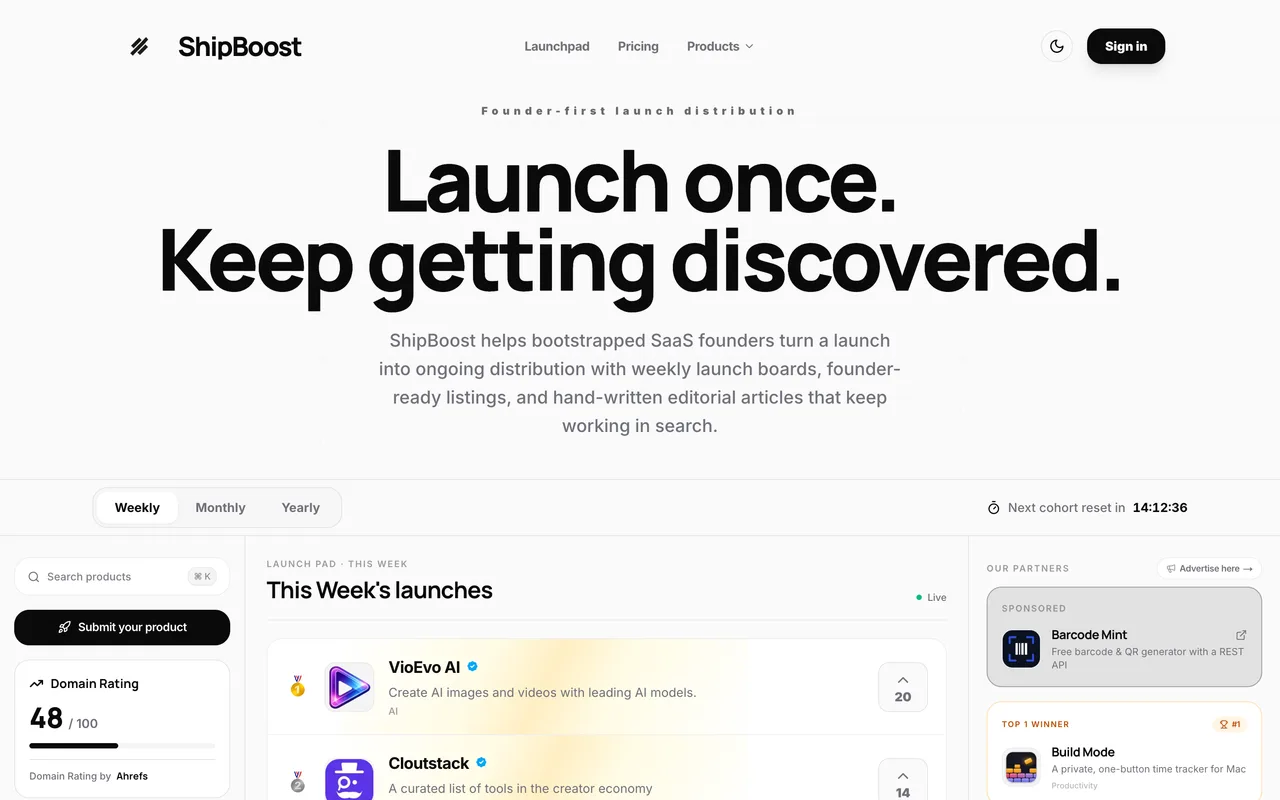
shipboost.io
Eligibility
Who ShipBoost accepts
You need
An account, by Google, magic link or password
A square logo, which the form will not complete without
A tagline of 60 characters or fewer
One category and at least one tag from their own closed lists
Their badge on your site plus three upvotes on other launches, for the free lane
You'll be rejected if
Anything outside the six categories the form offers (Marketing, Sales, Analytics, Support, Productivity, Development), which is the whole list
A site that cannot carry their badge permanently, since the free lane will not schedule without it
SaaS productsAI toolsDeveloper toolsMarketing toolsBootstrapped startups
What you actually get
A permanent page under /tools/ with your tagline, screenshots, a description and a generated .md version, indexed on their category and tag pages, plus one week on the launchboard when your slot comes up. Ours scheduled into the week of Nov 23, 2026 and the Products tab reads Scheduled / Free Launch with that date. The Visit website link on a live listing is rel="nofollow noopener", which is what their own plan table means by crossing out "Guaranteed dofollow link" on the free tier.
How to submit to ShipBoost
1
Sign in
/submit shows an account wall with Create an account and Log in. Continue with Google is the first option; there is also a magic link and an email and password pair.
2
Fill the General tab
Name, slug, URL, pricing model, category, up to five tags, a 60-character tagline and a rich-text description of up to 5,000 characters. A checklist in the sidebar counts nine required fields.
3
Add media
The Media tab wants a logo, which is required, and up to three product images. The checklist only clears at 9 of 9 once the logo is in.
4
Save, then schedule
Save your product stores a draft, which appears under Products in the dashboard as Draft. Schedule your launch then opens the plan step, with Premium already selected.
5
Clear the free gate
Choosing Free reveals two conditions: verify their badge, and upvote three of that week s launches in a modal. Both have to read done before Schedule free launch will fire.
ShipBoost requirements
An account
Product name, slug and URL
A pricing model from their list
One category and at least one tag
Tagline, 60 characters
A rich description, up to 5,000 characters
A logo
Up to three product screenshotsoptional
Gotchas
The plan step opens with Premium already selected and the primary button reading Continue to checkout, with the free card sitting unhighlighted beside it. Clicking through without reading buys a launch.
The free launch is gated twice over: their badge has to be live on your site and verified, and you have to upvote three of that week s launches, before the Schedule free launch button does anything.
The soonest free slot was 99 days out when we walked it. The week is assigned, not chosen; picking your own date is a paid feature.
Let your agent submit to ShipBoost
Connect SubmitMap to your AI over MCP and this page stops being something you read and copy. Your agent asks for the ShipBoost playbook and gets the brief for this exact form, with the values already taken from your submission pack instead of placeholders you fill in by hand.
What it does for this platform
Checks your product against the 7 ShipBoost rules above, so you find out you would be rejected before you open a tab.
Hands your agent all 8 fields this form asks for, 1 of them optional, already filled from your pack.
Warns you that ShipBoost looks for its badge on your site, so it has to be live before you submit rather than after.
Tells you what paying buys here, so you pick it on purpose: free launch, or $9 per launch on a founding rate against $19 (code LAUNCH9): an editorial article on their blog, a launch week you pick, featured placement and a dofollow link, with no badge and no upvotes. Sponsor slots are separate: $29, $49 or $59 for 30 days.
Types it into ShipBoost in your own browser, and stops for you when the form wants a sign-in.
Records what it sent, so the dashboard can answer "did I ever submit to ShipBoost?".
Connect your agentTools and endpointsWorks with Claude Code, Claude, Codex, Cursor, VS Code and Hermes.
ShipBoost FAQ
How long does ShipBoost approval take?
ShipBoost's typical time from submission to going live is 14+ weeks.
How much does it cost to submit to ShipBoost?
ShipBoost has a free submission option plus paid placement (Free launch, or $9 per launch on a founding rate against $19 (code LAUNCH9): an editorial article on their blog, a launch week you pick, featured placement and a dofollow link, with no badge and no upvotes. Sponsor slots are separate: $29, $49 or $59 for 30 days.).
Does ShipBoost give a dofollow backlink?
No, links from ShipBoost are nofollow. The site has a domain rating of 48.
Does ShipBoost require a backlink to your site?
Yes, ShipBoost expects a link back from your site as part of listing.
What gets you rejected from ShipBoost?
Anything outside the six categories the form offers (Marketing, Sales, Analytics, Support, Productivity, Development), which is the whole list; A site that cannot carry their badge permanently, since the free lane will not schedule without it.