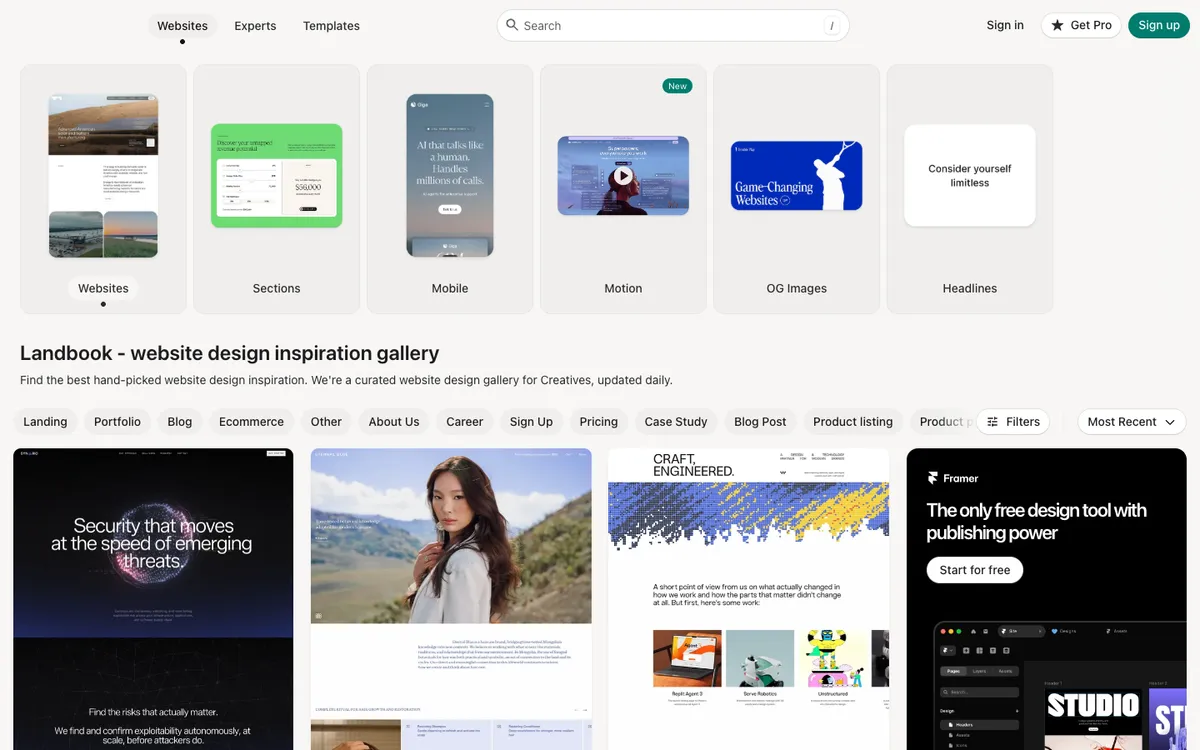
If accepted, a place in a design inspiration gallery that designers, developers and marketers actually browse, filed under one of a dozen page types (landing, portfolio, blog, ecommerce, pricing page, case study and so on). Acceptance is a taste judgement on current design trends, aesthetics, usability, accessibility and content, so the site has to be genuinely well designed rather than merely live.
How to submit to Landbook
1
Read the guidelines
/submission-guidelines is where the whole policy lives: no fees, open to everyone, curated, and a review that takes from a few days to a month.
2
Create an account
Sign up, then submit from the site. /submit itself 404s: the control is in the interface rather than at a guessable URL.
3
Confirm your email
Signing in with Google does not verify the account: /websites/new shows "Confirm your email" and blocks the form until the link they mail is clicked.
4
Tick the authorship box
"I'm the author of this website" adds the entry to the Made tab on your profile. Submitting someone else's site is also allowed and is what most of the gallery is.
5
Wait, and read the silence
If it is featured they email you. If you have not heard within a month, that is the rejection: there is no other notification.
Landbook requirements
An account on the gallery
A confirmed email address on the account
A live website URL
The authorship checkbox, if it is your own site
A page type from their dozen categoriesoptional
Gotchas
The form does not open until the account email is confirmed, even after a Google sign-in, so a first submission needs an inbox to hand.
Acceptance is a design judgement and most submissions are declined. Their stated criteria are current design trends, aesthetics, usability, accessibility and content, so a working site is not enough.
Rejection is silence. They email if you are featured, and their guidelines say a month with no reply means it will not be, so there is no notification and nothing to check.
Templates are a separate route with a different bargain: free to submit, but an approved template gets a payment link before it is featured, which is the opposite of the website policy on the same page.
Let your agent submit to Landbook
Connect SubmitMap to your AI over MCP and this page stops being something you read and copy. Your agent asks for the Landbook playbook and gets the brief for this exact form, with the values already taken from your submission pack instead of placeholders you fill in by hand.
What it does for this platform
Checks your product against the 5 Landbook rules above, so you find out you would be rejected before you open a tab.
Hands your agent all 5 fields this form asks for, 1 of them optional, already filled from your pack.
Types it into Landbook in your own browser, and stops for you when the form wants a sign-in.
Records what it sent, so the dashboard can answer "did I ever submit to Landbook?".
Landbook's typical time from submission to going live is 2-4 weeks.
How much does it cost to submit to Landbook?
Submitting to Landbook is free.
Does Landbook give a dofollow backlink?
Yes, a listing on Landbook carries a dofollow link. The site has a domain rating of 73.
Does Landbook require a backlink to your site?
No, Landbook does not require a link back from your site.
What gets you rejected from Landbook?
A site that is functional but ordinary: they curate by hand and most submissions are not accepted; Anyone who needs a decision on a schedule.
For platform owners
Run Landbook? Put the badge on it
It links back to this page, where makers read who you accept and how to submit. Pick the version that matches where it will sit, copy the snippet, and paste it into your footer or wherever your other badges go.
HTML
<a href="https://submitmap.com/platform/land-book/">
  <img src="https://submitmap.com/badge/listed-light.svg" alt="Listed on SubmitMap" width="150" height="52">
</a>
No account, no cost and nothing to verify: it works the moment it is on the page. If anything on this page is out of date, tell us and we will fix the record.