SFB Visit
Visit
saas · ai · dev-tools · marketing
SubmitForBacklinks: requirements, how to submit, and what you actually get
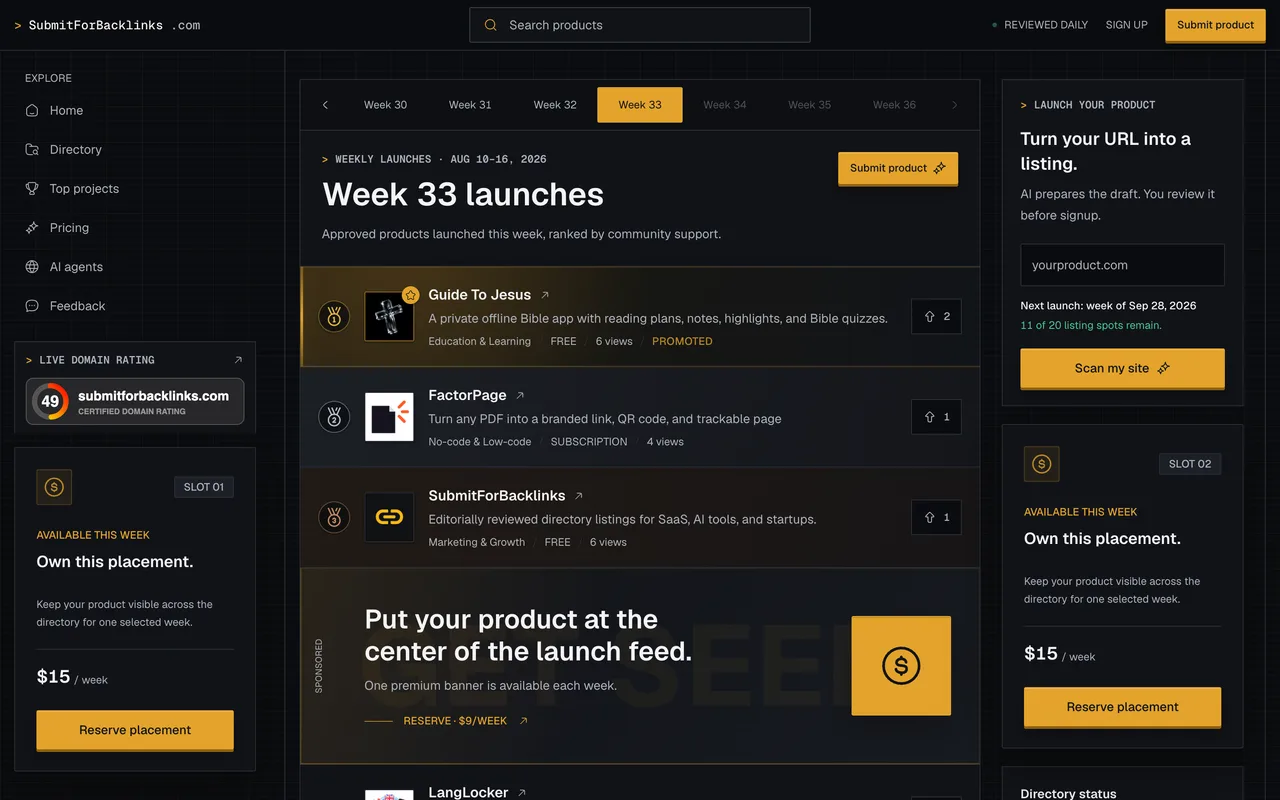
A weekly launch queue where the free listing's dofollow is rented against a footer badge, and $11.99 buys it outright.
submitforbacklinks.com
Eligibility
Who SubmitForBacklinks accepts
You need
An account, by Google or by email and password
A live public site their safety check can read
A tagline of 120 characters or fewer and a short description of 240 or fewer
A launch week with spots left, which is the only date you can have
Their badge on your site, unless you pay the $11.99
You'll be rejected if
Anything their automated safety scan of your text and website flags, which goes to an editorial queue instead of publishing
SaaS productsAI toolsDeveloper toolsBrowser extensionsMobile appsOpen source projectsTemplatesMarketplaces
What you actually get
A product page under /product/ carrying your tagline, both descriptions, a category, tags and a Visit link. Their automated safety scan decided ours in about twenty seconds and the page was live in Explore Products the same day; the launch week you reserve is when it joins that week ranked lineup, not when the page appears. The Visit link ships unfollowed and turns followed once their crawler verifies the badge, after which they recheck it daily and revert the listing the day it disappears.
How to submit to SubmitForBacklinks
1
Sign in
/submit bounces to a login card. Log in with Google, or email and password. The account is created by the same click.
2
Product basics
Paste your URL and optionally let their AI draft the copy, then set name, tagline, short description and full description. Their own answers stay untouched if you fill them yourself.
3
Discovery and media
Primary category, optional secondary, up to five comma-separated tags, product type, pricing model and platform. A logo and up to three screenshots are optional.
4
Founder details and plan
Founder name, company, contact email, optional X handle and launch date. Then Free, or Featured at $11.99 to skip both the badge and the queue.
5
Badge, week and submit
Acknowledge the badge requirement, reserve one of the launch weeks that still has spots, agree to the guidelines and press Submit and review. The badge snippet appears on the success screen.
SubmitForBacklinks requirements
An account
Live website URL
Product name
Tagline, 120 characters
Short description, 240 characters
Full description
A primary category from their list of nineteen
Up to five comma-separated tags
Product type, pricing model and platform
Founder name, company and contact email
A square logo and up to three screenshotsoptional
Gotchas
The badge snippet changes after approval, and only the new one passes. The success screen gives you a /badge/<token> link before review; once approved they reissue it against /product/<slug>.
Verification is not instant after you publish. Two rechecks minutes apart still answered "Badge markup was not found"; a later one passed with nothing else changed, so give it time rather than editing the badge again.
The launch weeks are a queue, not a date. Everything through Sep 21 read "Submissions closed" when we booked; the earliest open week was six weeks out.
The dofollow is rented and rechecked daily. Remove the badge, or add nofollow to it, and the listing goes back to an unfollowed link.
Let your agent submit to SubmitForBacklinks
Connect SubmitMap to your AI over MCP and this page stops being something you read and copy. Your agent asks for the SubmitForBacklinks playbook and gets the brief for this exact form, with the values already taken from your submission pack instead of placeholders you fill in by hand.
What it does for this platform
Checks your product against the 6 SubmitForBacklinks rules above, so you find out you would be rejected before you open a tab.
Hands your agent all 11 fields this form asks for, 1 of them optional, already filled from your pack.
Warns you that SubmitForBacklinks looks for its badge on your site, so it has to be live before you submit rather than after.
Tells you what paying buys here, so you pick it on purpose: the listing is free. $11.99 once upgrades it to Featured: a permanent dofollow with no badge and no launch-week reservation, published as soon as it is approved. A $15/week promoted slot across the directory is sold separately from the listing.
Types it into SubmitForBacklinks in your own browser, and stops for you when the form wants a sign-in.
Records what it sent, so the dashboard can answer "did I ever submit to SubmitForBacklinks?".
Connect your agentTools and endpointsWorks with Claude Code, Claude, Codex, Cursor, VS Code and Hermes.
SubmitForBacklinks FAQ
How long does SubmitForBacklinks approval take?
SubmitForBacklinks's typical time from submission to going live is same day.
How much does it cost to submit to SubmitForBacklinks?
SubmitForBacklinks has a free submission option plus paid placement (The listing is free. $11.99 once upgrades it to Featured: a permanent dofollow with no badge and no launch-week reservation, published as soon as it is approved. A $15/week promoted slot across the directory is sold separately from the listing.).
Does SubmitForBacklinks give a dofollow backlink?
Yes, a listing on SubmitForBacklinks carries a dofollow link. The site has a domain rating of 49.
Does SubmitForBacklinks require a backlink to your site?
Yes, SubmitForBacklinks expects a link back from your site as part of listing.
What gets you rejected from SubmitForBacklinks?
Anything their automated safety scan of your text and website flags, which goes to an editorial queue instead of publishing.