AB Visit
Visit
ai · saas · dev-tools · marketing
AIBoom.Tools: requirements, how to submit, and what you actually get
Their AI writes your listing from your homepage in one pass, then the free lane refuses to submit until their badge is already live on your site.
aiboom.tools
Eligibility
Who AIBoom.Tools accepts
You need
An account, by Google, GitHub or an emailed code
A live site their scraper can read, since the whole listing is drafted from it
A description of at least 200 characters
At least one screenshot, which the form marks required
Their badge already live on your site before the free lane will submit
You'll be rejected if
Anything their hand review does not read as an AI tool: the directory describes itself as AI tools only and every listing is reviewed by a person
A site that cannot carry their badge, unless you pay, because the free lane checks for it before it will accept a submission
AI toolsSaaS productsDeveloper toolsOpen source projectsDirectories
What you actually get
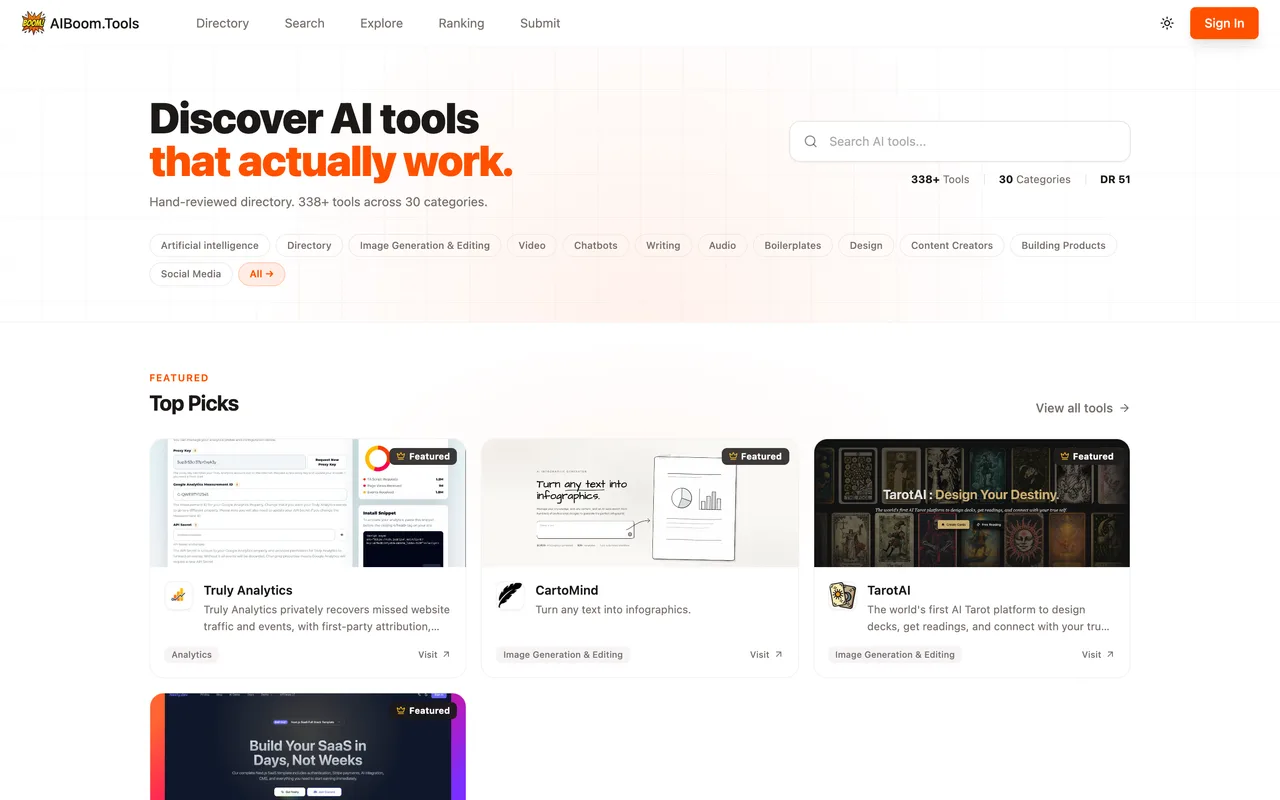
A permanent listing in a hand-reviewed AI-tools directory of a few hundred entries, filed under up to three of their categories and reachable from category, search and ranking pages. After Verify and Submit the entry appears at /dashboard/profile as Pending Review on the Free tier. Every tier including the free one carries a dofollow link; what the paid tiers buy is the queue position and, on Featured, a month of homepage placement.
How to submit to AIBoom.Tools
1
Give the URL
Step 1 of 4 is a single field. Their AI then reads your site and drafts the entire listing.
2
Sign in
Pressing Continue raises a sign-in modal: Google, GitHub, or an emailed verification code. Signing in returns you to the homepage and loses the URL you typed.
3
Correct the AI's draft
Step 2 shows name, tagline, description, logo, screenshots, categories, pricing model and platforms, all pre-filled. Check every one of them against your own copy.
4
Extra details
Step 3 is entirely optional: discount code, founded year, YouTube demo, GitHub repo, founder's X, affiliate programme.
5
Choose a plan and verify
Step 4 puts two paid cards above a free row. The free row's Verify and Submit checks your site for their badge before it will accept anything.
AIBoom.Tools requirements
An account
Live website URL
Tool name
A tagline of up to 160 characters
A description of 200 to 3,000 characters, markdown allowed
A logo, up to 3 MB
At least one screenshot, up to four, 8 MB each
One to three categories, a pricing model and a platform
Their badge on your homepage or footer, for the free tier
Gotchas
The free lane will not take a submission until the badge is already on your live site: Verify and Submit answers "A dofollow backlink to our site was not found on your website" and stops there. Deploy the badge before you start, or the wizard is a dry run.
Signing in happens at step 2, not step 1, and it bounces you to the homepage afterwards. The URL you typed is gone and the wizard starts over.
Their AI fills every field from your homepage and gets things wrong with confidence. Ours came back priced as Paid rather than Freemium, tagged Advertising, and given a tagline quoting a number from the homepage that would have been stale within a week.
Let your agent submit to AIBoom.Tools
Connect SubmitMap to your AI over MCP and this page stops being something you read and copy. Your agent asks for the AIBoom.Tools playbook and gets the brief for this exact form, with the values already taken from your submission pack instead of placeholders you fill in by hand.
What it does for this platform
Checks your product against the 7 AIBoom.Tools rules above, so you find out you would be rejected before you open a tab.
Hands your agent all 9 fields this form asks for, none of them optional, already filled from your pack.
Warns you that AIBoom.Tools looks for its badge on your site, so it has to be live before you submit rather than after.
Tells you what paying buys here, so you pick it on purpose: free with their badge on your homepage or footer, reviewed within 3 days. $9.90 once for Standard: no badge, 24-hour review, at least three dofollow links. $19.90 once for Featured: a month on the homepage and at least five.
Types it into AIBoom.Tools in your own browser, and stops for you when the form wants a sign-in.
Records what it sent, so the dashboard can answer "did I ever submit to AIBoom.Tools?".
Connect your agentTools and endpointsWorks with Claude Code, Claude, Codex, Cursor, VS Code and Hermes.
AIBoom.Tools FAQ
How long does AIBoom.Tools approval take?
AIBoom.Tools's typical time from submission to going live is 1-3 days.
How much does it cost to submit to AIBoom.Tools?
AIBoom.Tools has a free submission option plus paid placement (Free with their badge on your homepage or footer, reviewed within 3 days. $9.90 once for Standard: no badge, 24-hour review, at least three dofollow links. $19.90 once for Featured: a month on the homepage and at least five.).
Does AIBoom.Tools give a dofollow backlink?
Yes, a listing on AIBoom.Tools carries a dofollow link. The site has a domain rating of 48.
Does AIBoom.Tools require a backlink to your site?
Yes, AIBoom.Tools expects a link back from your site as part of listing.
What gets you rejected from AIBoom.Tools?
Anything their hand review does not read as an AI tool: the directory describes itself as AI tools only and every listing is reviewed by a person; A site that cannot carry their badge, unless you pay, because the free lane checks for it before it will accept a submission.