LI Visit
Visit
saas · ai · dev-tools · no-code · design
LaunchIt: requirements, how to submit, and what you actually get
The free lane is a link exchange: you must link back before they approve you, and $19 is what buys the same dofollow without one.
launchit.fast
Eligibility
Who LaunchIt accepts
You need
An account: Google (only if the Google display name has two words), X, or email and password
A live product URL
A link back to LaunchIt on your own site, for the free tier
You'll be rejected if
Nothing stated
StartupsSaaS productsAI toolsDeveloper toolsNo-code toolsDesign work
What you actually get
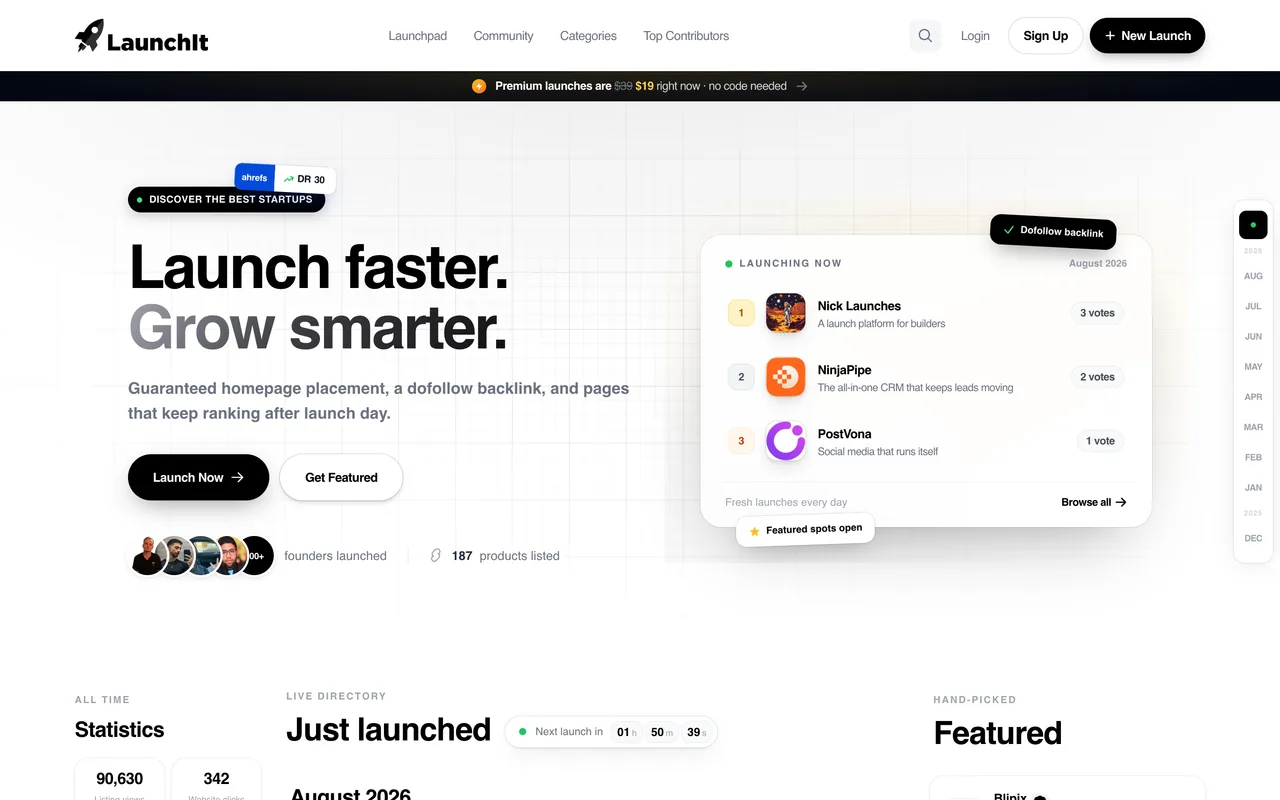
A permanent product page on a small but real launch board, scheduled for a launch date you pick from their calendar. Review is quoted at 48 hours and the free queue ran about ten days out when we booked. The link is the reason to be here and it is genuine: a live listing's Open Website and Visit buttons carry no rel at all. The audience is not: their own counters read 90,630 listing views against 342 clicks to founder sites across 187 products, which is about two clicks per product, all time.
How to submit to LaunchIt
1
Pick a tier on /submit
Basic at $0, Premium at $19 one-time (from $39), Boost at $49, and Featured at $39 a month for listings that already exist. Relaunching is $15. Start for Free routes to /signup rather than to a form.
2
Step 1 of 3: launch date and badge
A calendar of free slots, with the near dates marked Full: the first bookable day was ten days out. The same panel hands you their badge snippet, because the free lane is a link exchange.
3
Step 2 of 3: maker profile
First name, last name and email, prefilled from your account. This is what appears under your launch, and their validation refuses to advance without a last name even though the input is not marked required.
4
Step 3 of 3: the listing
Startup name, URL, a 100-character tagline, one of 16 categories, up to 5 tags from a fixed list, a logo (required, 5MB), an optional screenshot (10MB) and a 500-character description.
5
Verify the badge, then submit
Paste the page carrying their badge and press Verify badge; it answers "Badge verified, you're good to go" with the URL it found. Tick the fair-launch commitment and Submit for Free.
LaunchIt requirements
Account (Google, X, or email and password)
Startup name and URL
A tagline of 100 characters or fewer
One category from their 16, and up to 5 tags from their fixed list
A logo, up to 5MB
A description of 500 characters or fewer
Their badge live on a page you can name, verified before the submit button works
A product screenshot, up to 10MBoptional
$19 to skip both the queue and the backlinkoptional
Gotchas
Their Google sign-up is broken for anyone whose Google display name is a single word. The handler builds your account slug as first-last by splitting the display name on a space, so displayName.split(" ")[1] is undefined and the call throws "Cannot read properties of undefined (reading toLowerCase)". The OAuth round trip completes and the site simply stays logged out, with no message. Add a surname to the Google profile first, or use X or email and password.
The maker profile is prefilled from your account and last name is mandatory, so whatever your sign-in identity is ends up printed under the launch. Their sign-up also derives your profile slug from first-last. Set both deliberately if you list under a handle rather than your legal name.
Their badge snippet is broken. It reads <img src="launching.svg">, a relative path, so it resolves against your own domain and 404s. The real asset is at https://launchit.fast/img/launching.svg, 200x54.
The free calendar books out: every day for the next ten was marked Full when we submitted, so the earliest free launch date was ten days away while the paid lanes were bookable immediately.
Let your agent submit to LaunchIt
Connect SubmitMap to your AI over MCP and this page stops being something you read and copy. Your agent asks for the LaunchIt playbook and gets the brief for this exact form, with the values already taken from your submission pack instead of placeholders you fill in by hand.
What it does for this platform
Checks your product against the 4 LaunchIt rules above, so you find out you would be rejected before you open a tab.
Hands your agent all 9 fields this form asks for, 2 of them optional, already filled from your pack.
Warns you that LaunchIt looks for its badge on your site, so it has to be live before you submit rather than after.
Tells you what paying buys here, so you pick it on purpose: $19 one-time Premium (from $39) skips the queue and drops the backlink; $49 Boost (from $58) adds 30 days featured; $39/month Featured (from $99) for listings already live; $15 to relaunch.
Types it into LaunchIt in your own browser, and stops for you when the form wants a sign-in.
Records what it sent, so the dashboard can answer "did I ever submit to LaunchIt?".
Connect your agentTools and endpointsWorks with Claude Code, Claude, Codex, Cursor, VS Code and Hermes.
LaunchIt FAQ
How long does LaunchIt approval take?
LaunchIt's typical time from submission to going live is within 48 hours.
How much does it cost to submit to LaunchIt?
LaunchIt has a free submission option plus paid placement ($19 one-time Premium (from $39) skips the queue and drops the backlink; $49 Boost (from $58) adds 30 days featured; $39/month Featured (from $99) for listings already live; $15 to relaunch).
Does LaunchIt give a dofollow backlink?
Yes, a listing on LaunchIt carries a dofollow link. The site has a domain rating of 30.
Does LaunchIt require a backlink to your site?
Yes, LaunchIt expects a link back from your site as part of listing.
What gets you rejected from LaunchIt?
Nothing stated.