
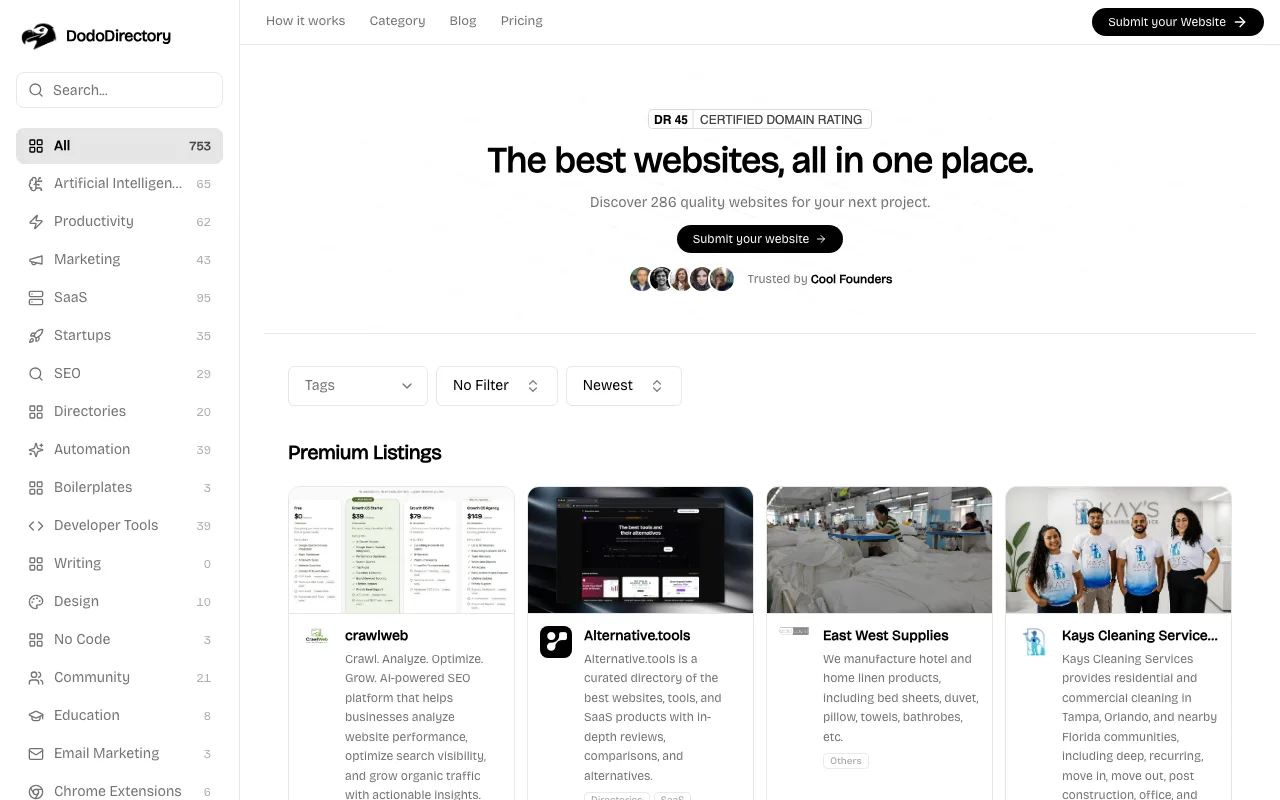
A general business directory on the Toolfio engine: badge up front, then a free dofollow listing after a two-week queue.
dododirectory.com
Eligibility
Who DodoDirectory accepts
You need
A live, working website
Their badge on your site before the form will even open
A 1:1 logo and 16:9 screenshot under 1MB each
You'll be rejected if
Crypto, adult, gambling or illegal content
Spam or link-farm sites
SaaS toolsAI toolsLocal businessesProfessional servicesAny live website
What you actually get
A permanent dofollow backlink from a ~3,000 character listing page. The audience is general business rather than makers, so treat it as link equity, not traffic.
How to submit to DodoDirectory
1
Place the badge first
Unlike its sibling Toolfio, verification opens the flow: paste your URL and their crawler must find the badge before you see the form.
2
Fill the product form
URL, name, 256-character description, up to 3,000 characters of markdown introduction, categories, pricing tag. No account needed.
3
Upload media and contact
1:1 logo and 16:9 screenshot (1MB each), contact email, two required policy checkboxes.
4
Choose Submit & Wait
Submit routes to a payment page re-pitching the $9.99 instant tier; the free path is the Submit & Wait button under Your Free Plan.
5
Wait out the review
Up to 2 weeks to a live listing with a permanent dofollow link. Approval lands in your inbox.
DodoDirectory requirements
Badge live on your site before starting
1:1 logo (PNG/JPEG, 1MB max)
16:9 screenshot (PNG/JPEG, 1MB max)
256-char description + intro up to 3,000 chars
Contact email
LinkedIn and X profile linksoptional
Gotchas
Listings cannot be edited after submission without contacting support, so the copy has to be right the first time.
Badge removal means automatic delisting; their bot re-crawls your site.
The post-submit payment page looks like a paywall; the free path is the quiet Submit & Wait button on the left.
Agent prompt for DodoDirectory
A full walkthrough of this form for your AI agent: every field, limit and trap. The placeholders come from your submission pack (template with a live example).
Paste into your agent
You are an AI agent with browser automation (Chrome connector, Playwright, browser-use or similar). Submit my product to DodoDirectory's free tier end to end. My submission pack is pasted at the bottom; it is the single source of truth for every answer. Do not invent copy.

My product: {NAME} ({URL})

CONTEXT
DodoDirectory runs the same engine as Toolfio (toolfio.com), so the same traps apply, with one big difference: the badge check comes FIRST, before the form opens, and there is no domain-rating floor on the free tier.

BEFORE YOU START
1. Open a fresh tab at https://dododirectory.com/submit and immediately run: window.confirm = () => true; window.alert = () => {}; This template uses native dialogs, and one unanswered dialog freezes every CDP-driven tool. Re-run after any full reload.
2. Their badge snippet (an <a href="https://dododirectory.com"> wrapping their badge image) must already be live on my site: the flow will not open the form until their crawler finds it. If it is not deployed, stop, give me the snippet, and wait for my confirmation.

STEP 1: VERIFY
3. Click Select Free Listing, enter {URL} in the verification field, and click Verify. On success the details form appears.

STEP 2: THE FORM (no account needed)
4. Inputs are React-controlled: fill with the native value setter plus 'input' and 'change' events, never plain .value. Fields: Link ({URL}), Name ({NAME}), Description (max 256 chars; trim my pack's short description), Introduction (up to 3,000 chars; the editor is CodeMirror, set it via document.querySelector('.CodeMirror').CodeMirror.setValue(text) using my pack's long description).
5. Categories and tags are custom dropdowns that ignore synthetic events: open them and click the real options, then verify the chips rendered. Pick up to three categories matching my pack and the pricing tag.
6. Images: 1:1 logo and 16:9 screenshot, PNG or JPEG, 1MB max each. Preferred route: fetch my pack asset URLs in the page, canvas-crop to the ratio, build a File, inject via DataTransfer into the inputs with ids dropzone-file-icon and dropzone-file-image (they are ids here, not names), dispatch 'change', and wait for the previews. If the fetch hangs or is blocked, fall back to the clipboard route: base64 the file in a terminal onto the clipboard, paste into a temp in-page textarea with a real cmd+v, decode into a File, inject.
7. Email: my pack's contact email. Tick the two required checkboxes (content policy, terms) with real clicks and confirm they are VISIBLY checked; leave the promotional-email one unchecked. LinkedIn and X links are optional.

STEP 3: SUBMIT PAST THE RE-PITCH
8. Click Submit. Instead of a modal, this template routes to a /payment/... page that shows your draft next to a premium pitch ($9.99 instant, no badge). The free path is the 'Submit & Wait' button under YOUR FREE PLAN. Click it.
9. Success is explicit: a 'Submission Received' page. Review takes up to 2 weeks; approval email goes to my contact address; the listing carries a permanent dofollow backlink.
10. Report back: submitted plan, the review window, that the badge must stay on my site permanently (removal delists), and that listings cannot be edited later without contacting their support, so the copy had to be right the first time.

MY PACK:

{PACK}DodoDirectory FAQ
How long does DodoDirectory approval take?
DodoDirectory's typical time from submission to going live is up to 2 weeks (badge checked before the form opens).
How much does it cost to submit to DodoDirectory?
DodoDirectory has a free submission option plus paid placement ($9.99 skips queue and badge; $49.99 adds a review article).
Does DodoDirectory give a dofollow backlink?
Yes, a listing on DodoDirectory carries a dofollow link. The site has a domain rating of 45.
Does DodoDirectory require a backlink to your site?
Yes, DodoDirectory expects a link back from your site as part of listing.
What gets you rejected from DodoDirectory?
Crypto, adult, gambling or illegal content; Spam or link-farm sites.