
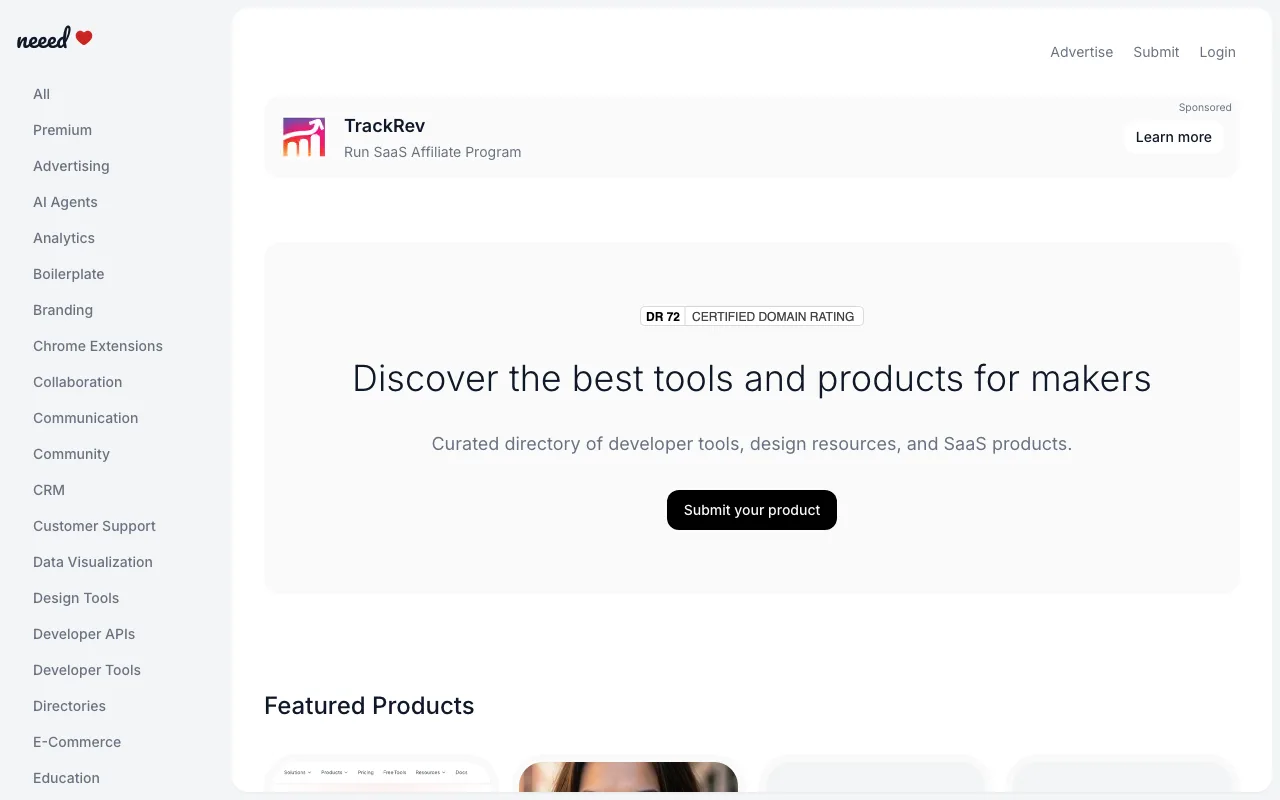
A small maker-tools directory with the fairest badge deal around: free listing, no floors, dofollow the moment you host their badge.
neeed.directory
Eligibility
Who Neeed Directory accepts
You need
An account (email code, email password or Google)
A square logo and a 16:9 cover image
Their personalised badge on your site for dofollow
You'll be rejected if
Products that do not help makers build, ship or grow
Developer toolsDesign resourcesSaaS productsAI toolsNo-code platformsProductivity apps
What you actually get
A live listing the second you submit, nofollow until you host their badge and click verify, then dofollow. A few hundred products in the whole directory, so this is link equity and an AI-crawlable page, not traffic.
How to submit to Neeed Directory
1
Create an account
Passwordless email codes are offered alongside Google, so the account need not be tied to a personal profile.
2
Fill the product step
Name, a punchline under 30 characters, a roughly 70-word rich-text description, website, one category, plus a square logo and 16:9 cover. Both images are required.
3
Pick the free plan
$0 with badge or $9.99 for four dofollow links and no badge. Submitting opens a modal where 'I'll add the badge' is the free path.
4
Land on the live listing
No review queue: the product page publishes immediately with a nofollow link.
5
Host the badge and verify
Copy the personalised badge snippet from your product page, deploy it, then click Verify Badge to upgrade the link to dofollow.
Neeed Directory requirements
Account sign-in
Punchline under 30 characters
About 70-word description (1,000 char cap)
Square logo 256x256 (2MB max)
16:9 cover image 1280x720 (8MB max)
Personalised badge on your site for dofollow
Gotchas
The badge snippet is personalised to your own listing URL, not their homepage, so copying a generic badge from elsewhere will never verify.
The punchline caps at 30 characters, which is shorter than most taglines; write it before you start or you will be editing under pressure.
The product page is client-rendered and the badge controls appear seconds after load, so a missing Verify button usually means you looked too early.
Agent prompt for Neeed Directory
A full walkthrough of this form for your AI agent: every field, limit and trap. The placeholders come from your submission pack (template with a live example).
Paste into your agent
You are an AI agent with browser automation (Chrome connector, Playwright, browser-use or similar). Submit my product to Neeed Directory's free tier end to end, and get the link upgraded to dofollow. My submission pack is pasted at the bottom; it is the single source of truth for every answer. Do not invent copy.

My product: {NAME} ({URL})

BEFORE YOU START
1. Submitting requires an account. Their sign-in offers Google OAuth, email + password, AND a passwordless 'Email me a sign-in code' option: prefer the email code with my contact address so the account is not tied to a personal Google profile. You cannot create accounts or handle OAuth: hand the tab to me and wait for my confirmation. If I do sign in with a personal Google account, edit the profile name and avatar to my maker identity before anything is published.
2. Run window.confirm = () => true; window.alert = () => {} after every full page load.
3. Good news up front: listing is free, there is no domain-rating floor and no traffic floor. The only cost of dofollow is hosting their badge.

THE FORM (/submit, step 1 of 2)
4. Fields, all React-controlled (use the native value setter plus 'input' and 'change' events, never plain .value): Product Name; Product Punchline (they ask for UNDER 30 CHARACTERS, far tighter than a normal tagline, so compress hard, do not paste my full tagline); Product Website; Product Category (a single-choice combobox, not multi-select: open it and real-click one option).
5. Description is a TipTap/ProseMirror rich-text editor with a 1000-character cap and a stated target of about 70 words. Focus the editor, select all, then document.execCommand('insertHTML', false, html) with a compressed version of my pack's long description. Watch the live counter.
6. Media, both REQUIRED despite looking optional: a square logo (256x256, jpg/png, max 2MB) and a 16:9 cover image (1280x720, max 8MB). Fetch my pack assets in the page, canvas-crop the cover to 16:9, build Files and inject them via DataTransfer plus a 'change' event. The right-hand Compact Card and Full Card previews flip to 'Ready' when both land; treat that as the confirmation, not the input's files list.
7. WARNING: never click the visible upload areas or a Browse button. That opens a native OS file picker which no automation tool can dismiss, and it freezes the flow until a human cancels it. Inject files programmatically only.
8. Click 'Next: pick a launch plan'.

STEP 2 AND SUBMIT
9. Choose the $0 Free Listing card (the $9.99 Premium gives 4 dofollow links and skips the badge). Click Submit Product.
10. A modal appears: 'I'll add the badge - Submit' is the free path; 'Upgrade to Premium - No badge needed' is the paid one. Click the free one.
11. Success is explicit: you land on the live product page at neeed.directory/products/<slug>.

THE DOFOLLOW UPGRADE (do not skip)
12. The listing goes live with a NOFOLLOW link. On the product page, scroll to the badge section and copy the PERSONALISED badge snippet: it links to my own listing URL with a utm_source parameter, not to their homepage, so a generic badge will not pass.
13. Give me that snippet, wait until I confirm it is deployed on my site, then click 'Verify Badge'.
14. Confirm it worked by re-reading the 'Visit Site' link's rel attribute: it should drop 'nofollow' and keep only 'noopener'. The page also shows 'Badge Verified on <date>'.
15. Note the product page is client-rendered: right after a reload the badge section and its buttons may be missing for several seconds. Wait for full hydration before deciding a control is absent.
16. Report back: the listing URL, that the link is now dofollow, and that removing the badge would revert it.

MY PACK:

{PACK}Neeed Directory FAQ
How long does Neeed Directory approval take?
Neeed Directory's typical time from submission to going live is listing live immediately; dofollow once the badge verifies.
How much does it cost to submit to Neeed Directory?
Neeed Directory has a free submission option plus paid placement ($9.99 gives 4 dofollow links and drops the badge).
Does Neeed Directory give a dofollow backlink?
Yes, a listing on Neeed Directory carries a dofollow link.
Does Neeed Directory require a backlink to your site?
Yes, Neeed Directory expects a link back from your site as part of listing.
What gets you rejected from Neeed Directory?
Products that do not help makers build, ship or grow.